MyCoach
An AI-powered online learning and teaching platform that connects students, teachers, and institutions through live, personalized classes.
MyCoach enables learners to book live one-to-one and group sessions based on their learning goals, availability, and preferences. Teachers define the services they offer, while businesses and institutions manage learning programs at scale — all within a single platform.

TL;DR
Product:
MyCoach – an AI-powered live learning and teaching platform
Problem:
Manual Excel-based workflows caused incorrect student–teacher matching, scheduling delays, and scalability issues
Solution:
Designed a centralized platform with AI-assisted matching based on requirements, availability, and preferences
Users:
Learners (students), Coaches (teachers), and Businesses / Institutions
Role:
Senior UI/UX Designer — end-to-end ownership across app, web, and admin dashboard
Outcome:
Faster and more accurate matching, reduced manual work, improved class quality, and scalable operations
Project Overview
MyCoach was designed from scratch to replace a manual, Excel-driven coordination system with a structured digital platform. The goal was to connect learners, coaches, and institutions efficiently while maintaining clarity and control across all user types.
Role
Senior UX/UI Designer
Timeline
3 months
Team
Founder (Product), 1 UI/UX Designer (me), 2 Developers
Platforms
Mobile app (learners), Web (coaches), Admin dashboard (business)
Tools
Adobe XD, Whimsical
The Problem
Before MyCoach, the entire learning and teaching operation ran manually through Excel spreadsheets, causing significant operational and user experience challenges.
01
Inconsistent Matching
Learners were manually matched with teachers via phone calls, leading to misalignment in skills, availability, and expectations.
02
Time-Intensive Coordination
Every session required manual follow-up, confirmation, and rescheduling through scattered communication channels.
03
Difficult to Scale
Spreadsheets couldn't support multiple institutions or larger user bases, limiting business growth.
04
Lack of Visibility
Admins and business users had no real-time insights into sessions, coaches, or learners without manual data collection.
05
Error-Prone Workflows
Incorrect entries, missed updates, and duplicate bookings occurred regularly, affecting user trust and experience.
06
No Learner Autonomy
Learners couldn't browse, compare, or choose coaches independently they relied entirely on manual recommendations.
Why This Problem Mattered
This wasn't just an internal workflow issue — it directly affected user satisfaction, business credibility, and the ability to support schools and institutions. The manual approach created friction at every step, making it difficult to deliver consistent, high-quality learning experiences.
Solving this problem meant designing a system that reduced human error, increased transparency, and allowed the business to scale without adding operational complexity.
Scope of Work
01
Conducted user research and requirement mapping across learner, coach, and admin roles
02
Designed complete user flows for onboarding, browsing, session booking, and scheduling
03
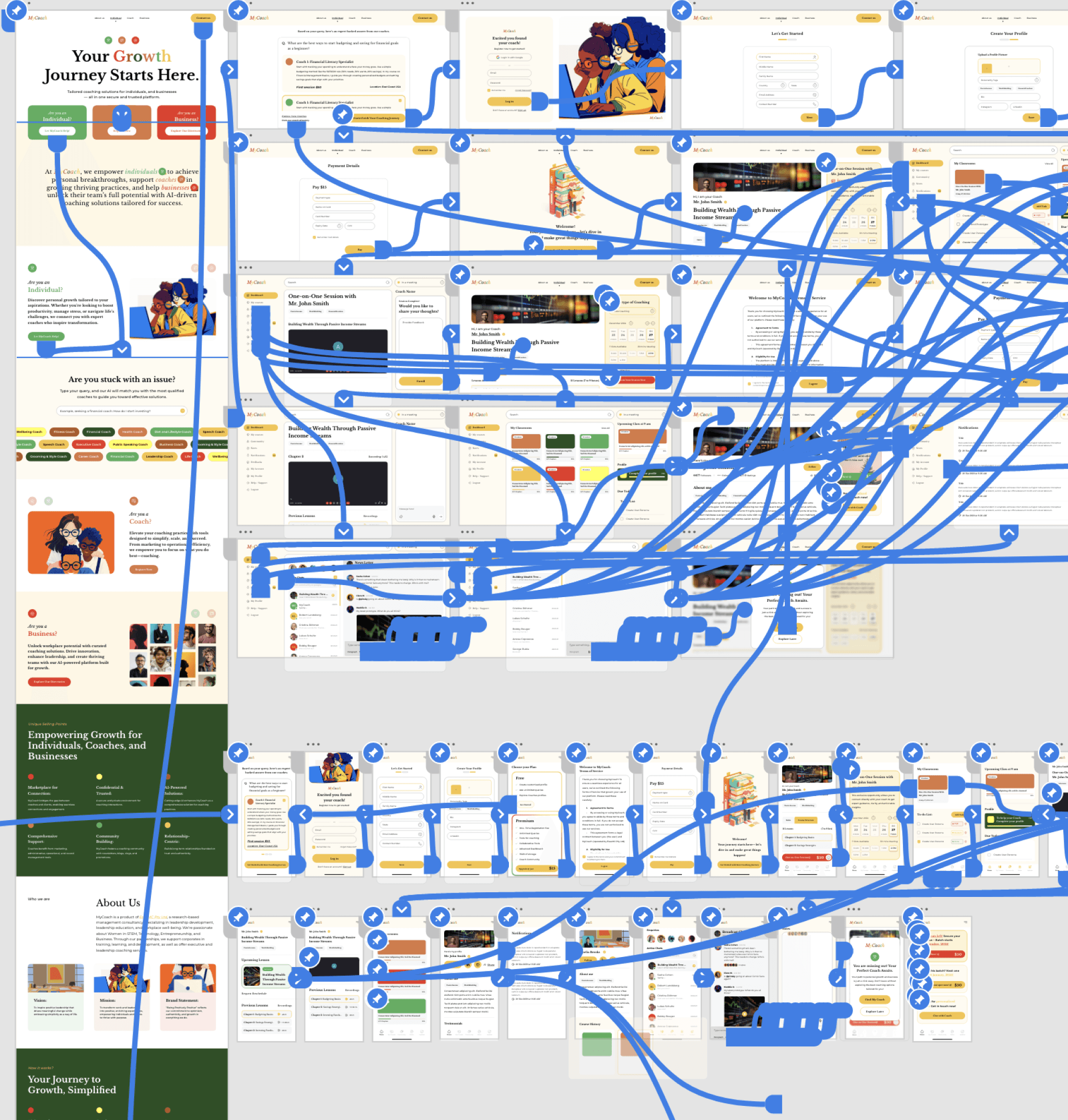
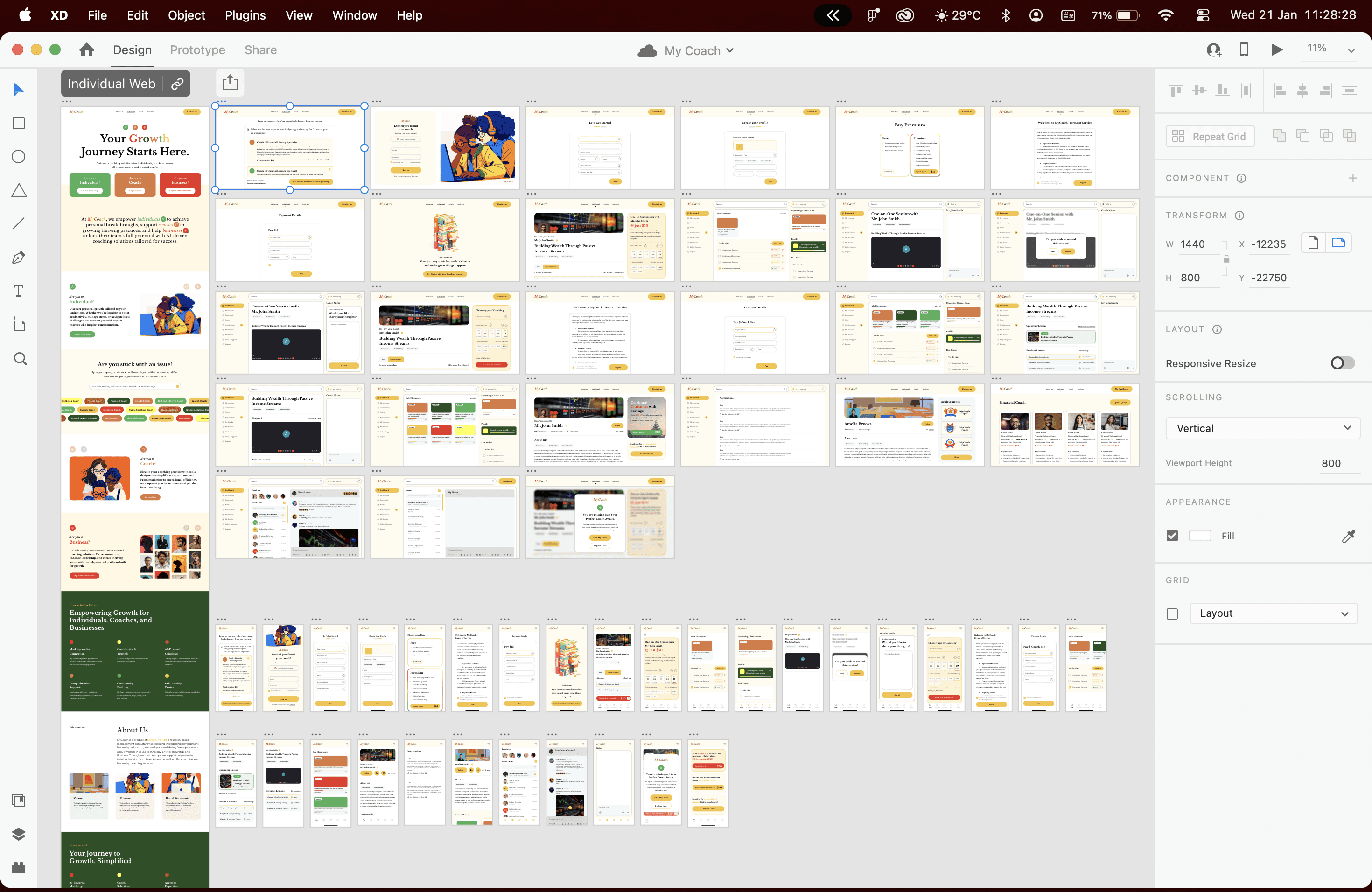
Built wireframes, high-fidelity mockups, and a design system to maintain consistency across platforms
04
Collaborated closely with developers to ensure implementation accuracy
Goals & Success Criteria
Defining clear objectives and measurable outcomes to guide the design process and validate impact.
Project Goals
Faster & Accurate Matching
Enable the platform to intelligently match students and teachers based on requirements, availability, time zones, and preferences—reducing delays and rework.
Efficiency
Accuracy
Better Learning Outcomes
Ensure learners are paired with the right teachers from the start, improving topic coverage, class quality, and overall satisfaction.
Quality
Satisfaction
Minimal Manual Effort
Replace Excel-based workflows with automated systems for onboarding, scheduling, and coordination, reducing human error and operational overhead.
Automation
Reduction
Scalable Platform
Design a system capable of supporting individuals as well as schools and training institutes without increasing complexity.
Growth
Flexibility
Success Metrics
85%+
Matching Accuracy
vs manual workflows
70%
Time Saved
on admin tasks
3x
Scalability
capacity increase
Key Success Indicators
Matching accuracy improves significantly compared to manual workflows
Scheduling conflicts and delays are reduced
Admins can manage operations without spreadsheets
Teachers spend less time coordinating and more time teaching
The platform supports growth across multiple user roles and platforms
Users & Stakeholders
MyCoach was designed as a multi-sided platform, serving users with different goals, responsibilities, and levels of involvement. Each role required a tailored experience while remaining connected within the same system.
Learners
(students)
Individuals seeking personalized, live learning experiences. Majority aged 13–24, valuing fast onboarding, accurate teacher matching, and flexible scheduling.
Primary needs
Find the right teacher based on learning goals
Flexible session timings
Clear expectations before sessions
Reliable and consistent learning experience
Coaches
(Teachers)
Full-time and part-time educators offering services across different subjects, managing multiple students and sessions while balancing other commitments.
Primary needs
Clear visibility into session schedules
Accurate understanding of learner requirements
Reduced coordination and administrative work
Tools that help them focus on teaching
Businesses
(Institutions)
Schools and training institutes managing multiple learners and coaches. This role did not exist in the manual workflow and was introduced to enable scale and oversight.
Primary needs
Centralized dashboards
Progress and performance visibility
Operational control without micromanagement
Scalable system for institutional use
Step 01
Founder Discussions
Worked closely with the Founder to understand the vision, business goals, operational challenges, and long-term scaling plans beyond manual workflows.
Step 02
User Conversations
Spoke with learners and teachers in Australia to understand expectations around live learning, scheduling, availability, and teacher–student matching.
Step 03
User Understanding
Reviewed existing records to understand user types, age ranges, services offered, and gaps between learner requirements and delivered sessions.
Step 04
Structural Exploration
Translated findings into initial user flows and site maps to map how learners, coaches, and businesses would interact within a single system.
Research Goal:
Identify repeated patterns that directly affected the quality of live learning experiences—not large-scale quantitative analysis.
Research & Discovery
Since MyCoach had no existing digital product, research focused on understanding real user needs, behaviors, and operational constraints rather than evaluating UI patterns.
Key Insights
Research and discovery revealed recurring issues across learners, coaches, and operations. These insights directly shaped the product direction and design decisions.
Matching Was the Core Problem
Learners found it difficult to identify the right teacher based on their exact requirements. Even when subjects aligned, availability, time zones, and topic depth often did not. Students frequently had to attend multiple calls or meetings before finding a suitable match.
Scheduling Friction Reduced Learning Quality
Live learning depends heavily on timing. Manual coordination led to delays, rescheduling, and missed sessions, making the overall experience unreliable for both learners and coaches.
Manual Workflows Did Not Scale
Excel-based processes worked only at a very small scale. As user volume increased, errors became frequent, records went out of sync, and operational visibility was lost.
Expectation Gaps Caused Trust Issues
When learner requirements and teacher offerings were not clearly aligned upfront, sessions often failed to fully meet expectations. This reduced confidence in the platform and increased drop-offs.
Automation Was Essential
Across all roles, there was a strong need to reduce manual coordination. Structured inputs and automated matching were necessary to improve accuracy, efficiency, and trust.
100%
Automation Needed
3
User Roles Affected
5
Critical Issues
Balancing Simplicity with Complexity
The client wanted a clean and minimal interface. At the same time, the platform had to support multiple interconnected roles, learners, coaches, and businesses each with distinct flows and responsibilities.
Designing Connected Multi-Role Experiences
Actions taken by one role directly affected others. The challenge was to design clear handoffs and connections between learners, coaches, and businesses without introducing confusion or excessive screens.
Building Trust in Automated Matching
Since matching was no longer manual, users needed confidence that the system accurately understood their requirements. The design had to clearly capture inputs and reflect them back to users to build trust.
Designing for Scale
The platform needed to grow beyond individual users to support schools and training institutes, without increasing cognitive load or complexity.
Defining the Design Challenge
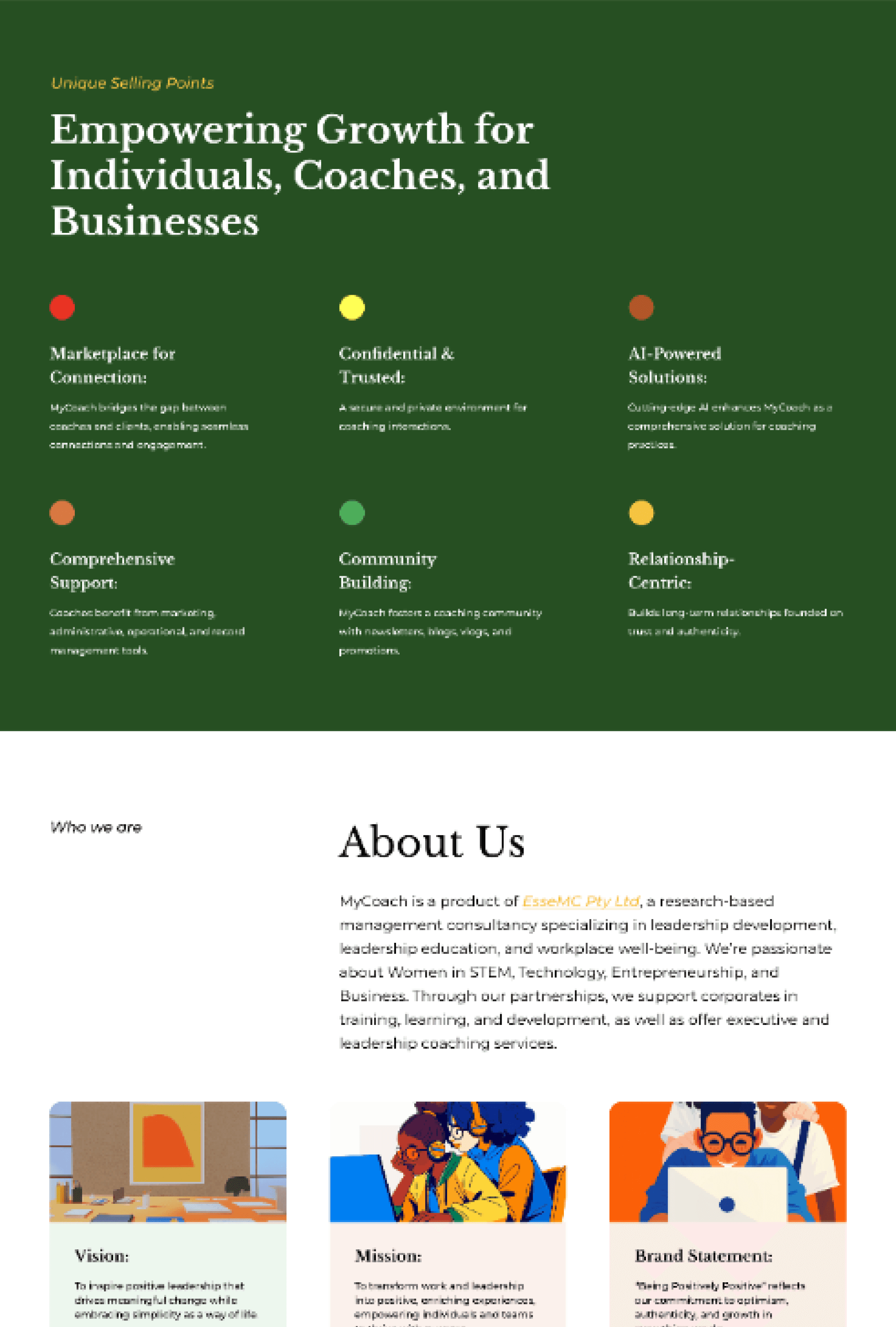
The core challenge was to design a minimal, modern platform that could support complex, multi-role workflows without overwhelming users.
The challenge was not to add more features, but to design the right structure, one that felt simple on the surface while handling complexity underneath.
Design Principles
To ensure consistency across a complex, multi-role platform, a clear set of design principles guided every decision throughout the project.
01
Reduce Manual Effort
Every interaction should remove the need for spreadsheets, follow-ups, and manual coordination wherever possible.
02
Capture Clarity Early
Learner requirements and coach offerings should be clearly defined upfront to avoid mismatches, rework, and unmet expectations.
03
Keep Interfaces Minimal
Despite complex workflows behind the scenes, interfaces should remain clean, modern, and focused on primary actions.
04
Design for Multiple Roles
Each user role should feel purpose-built, while still fitting naturally within the same system.
05
Build Trust Through Transparency
Users should always understand why a match was suggested, what information was captured, and what happens next.
These principles helped balance simplicity with scale, ensuring the platform remained intuitive as it grew in complexity.
Solution Overview
The solution is a centralized, role-based platform that replaces fragmented manual workflows with a single, intelligent system. MyCoach brings learners, coaches, and businesses together, capturing requirements and availability upfront to enable AI-assisted matching for live learning sessions. It eliminates spreadsheets and manual coordination through structured onboarding, automated scheduling, and clear admin visibility. Purpose-built workflows support each role—learners set goals, coaches manage services, businesses scale programs, and admins retain control—transforming a manual process into a scalable, reliable learning ecosystem.
Visual Design & UI Decisions
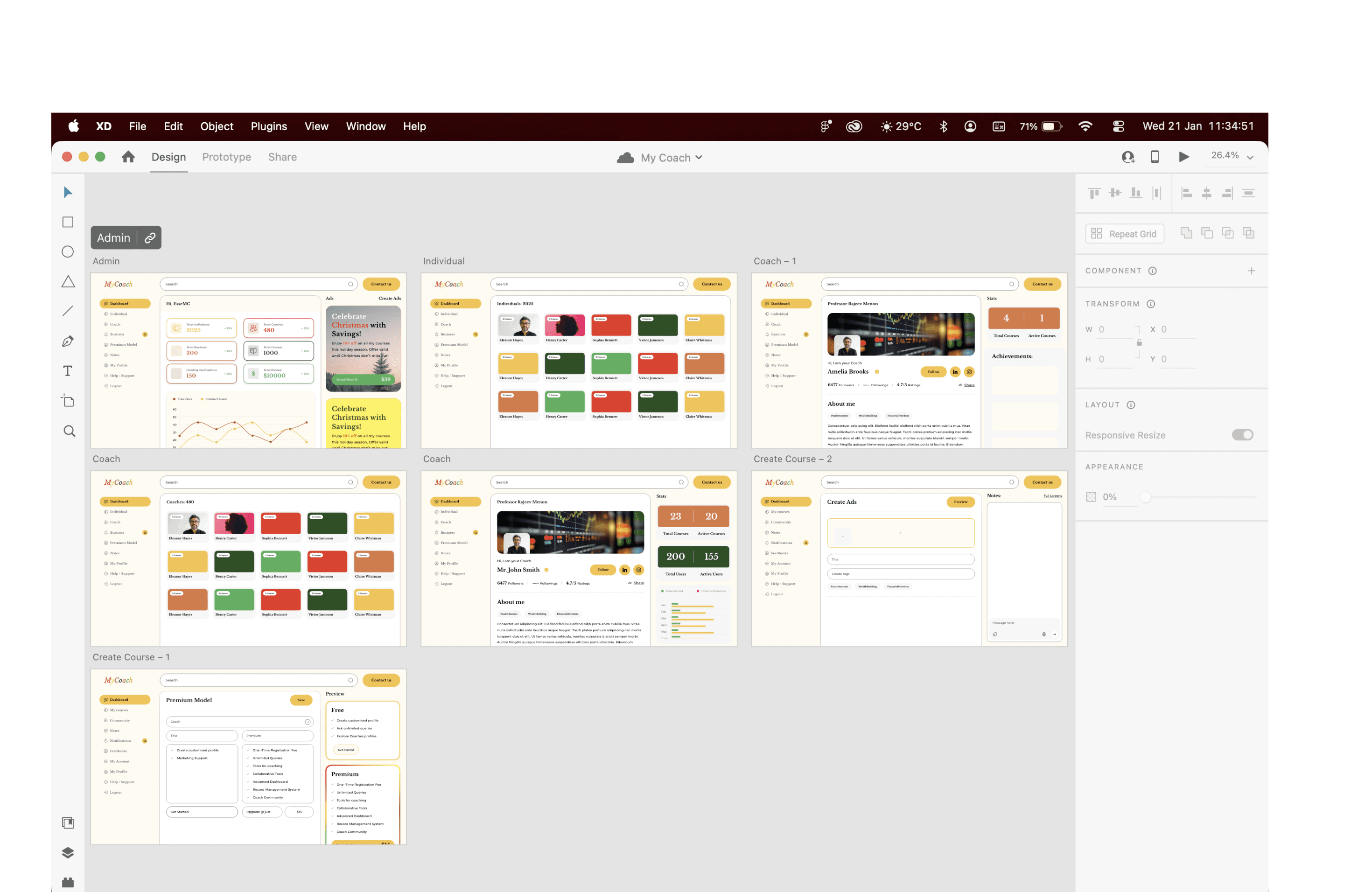
The visual design follows a minimal, modern approach focused on clarity across complex, multi-role workflows. By avoiding decorative elements and visual noise, the interface reduces cognitive load and keeps attention on core actions like onboarding, matching, and session management. Clear typography, restrained color usage, and purposeful contrast establish hierarchy, accessibility, and visual consistency across web and mobile. Shared components and patterns ensure familiarity across learner, coach, and admin experiences, allowing smooth transitions without relearning interactions. Overall, the visual system makes a complex platform feel simple, reliable, and easy to use.
Information Architecture
A clear structure balancing role separation with connected experiences across multiple user types.
Structure Overview
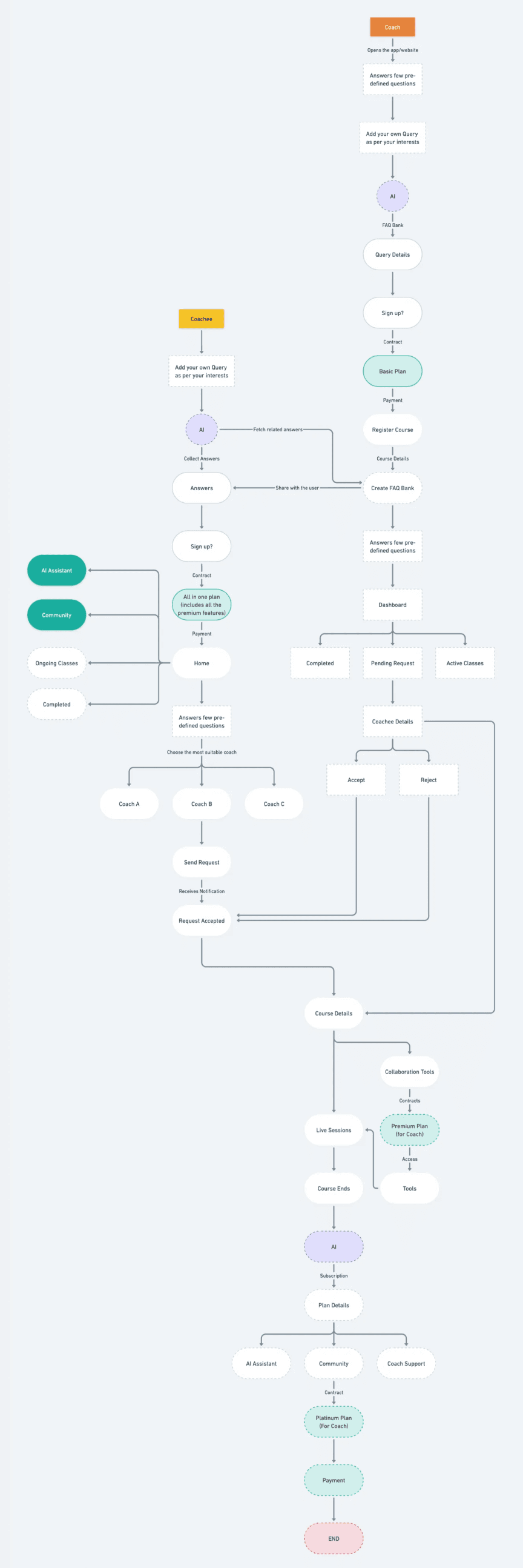
The platform was structured around role-based entry points, ensuring learners, coaches, businesses, and admins each accessed experiences tailored to their needs.
Role-Based Navigation
Learners
Onboarding, matching, sessions, progress
Coaches
Services, availability, sessions, earnings
Businesses
Dashboard, learners, coaches, reports
Admins
User management, operations, oversight
Design Rationale
Separating navigation by role reduced cognitive load while shared system logic ensured consistency. Users focus only on what matters to them without unnecessary complexity.

Key Workflows
The platform was designed around core workflows that replaced manual coordination with structured, automated processes across all user roles.
01
Workflow 01
Learner Onboarding & Matching
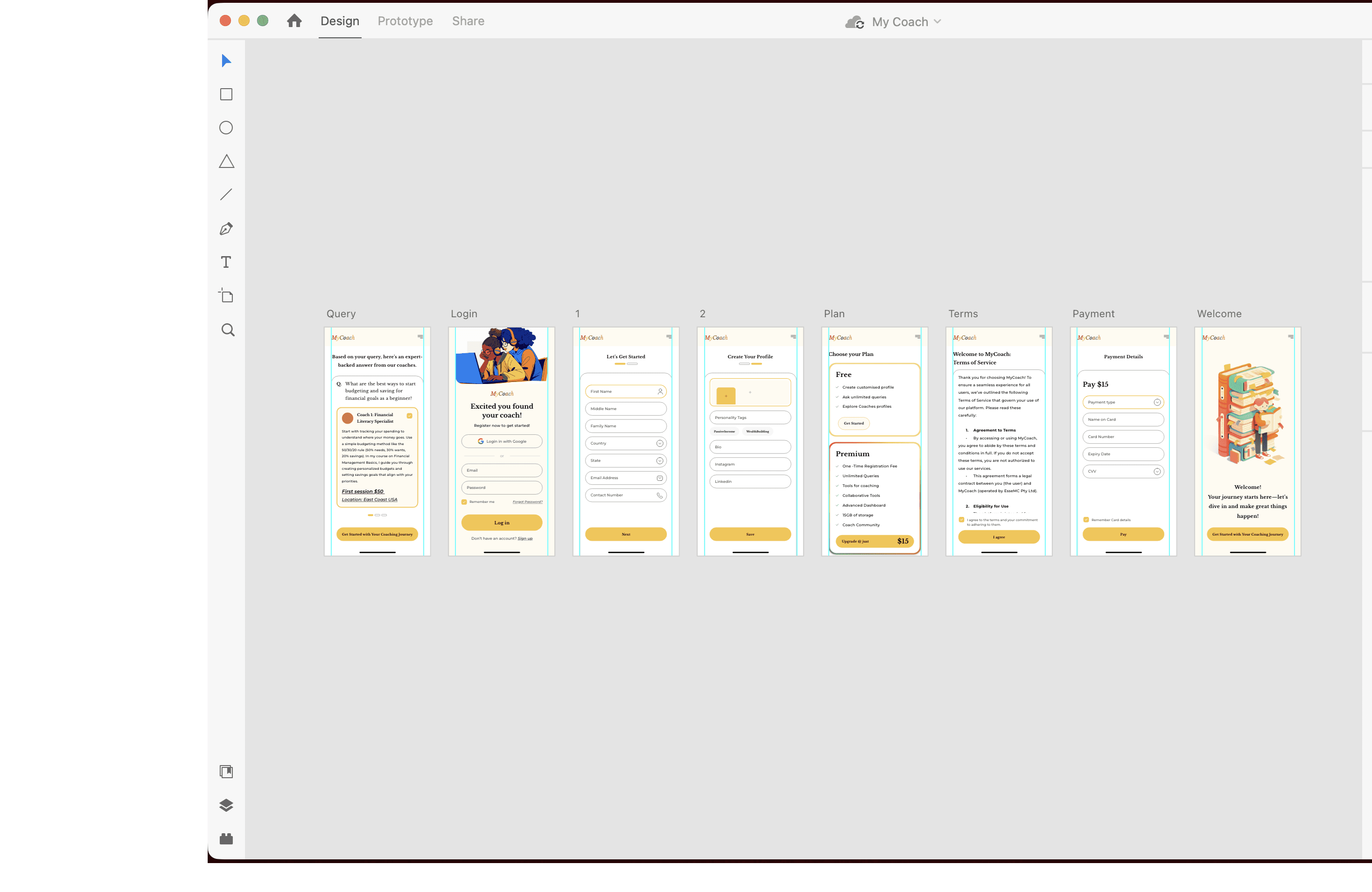
Learners define learning goals, preferred subjects, availability, and requirements. These inputs are captured upfront and used to accurately match them with suitable teachers.

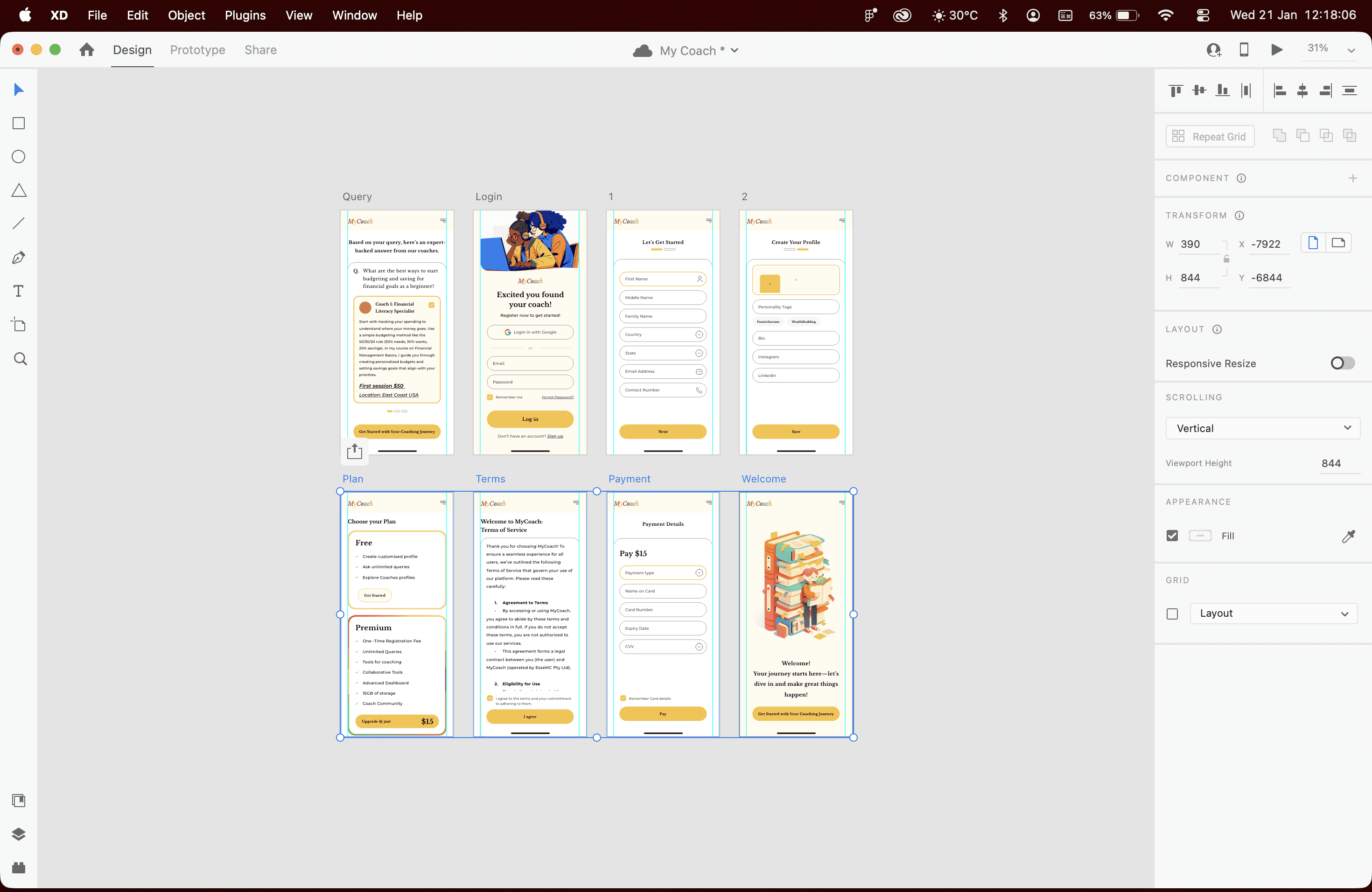
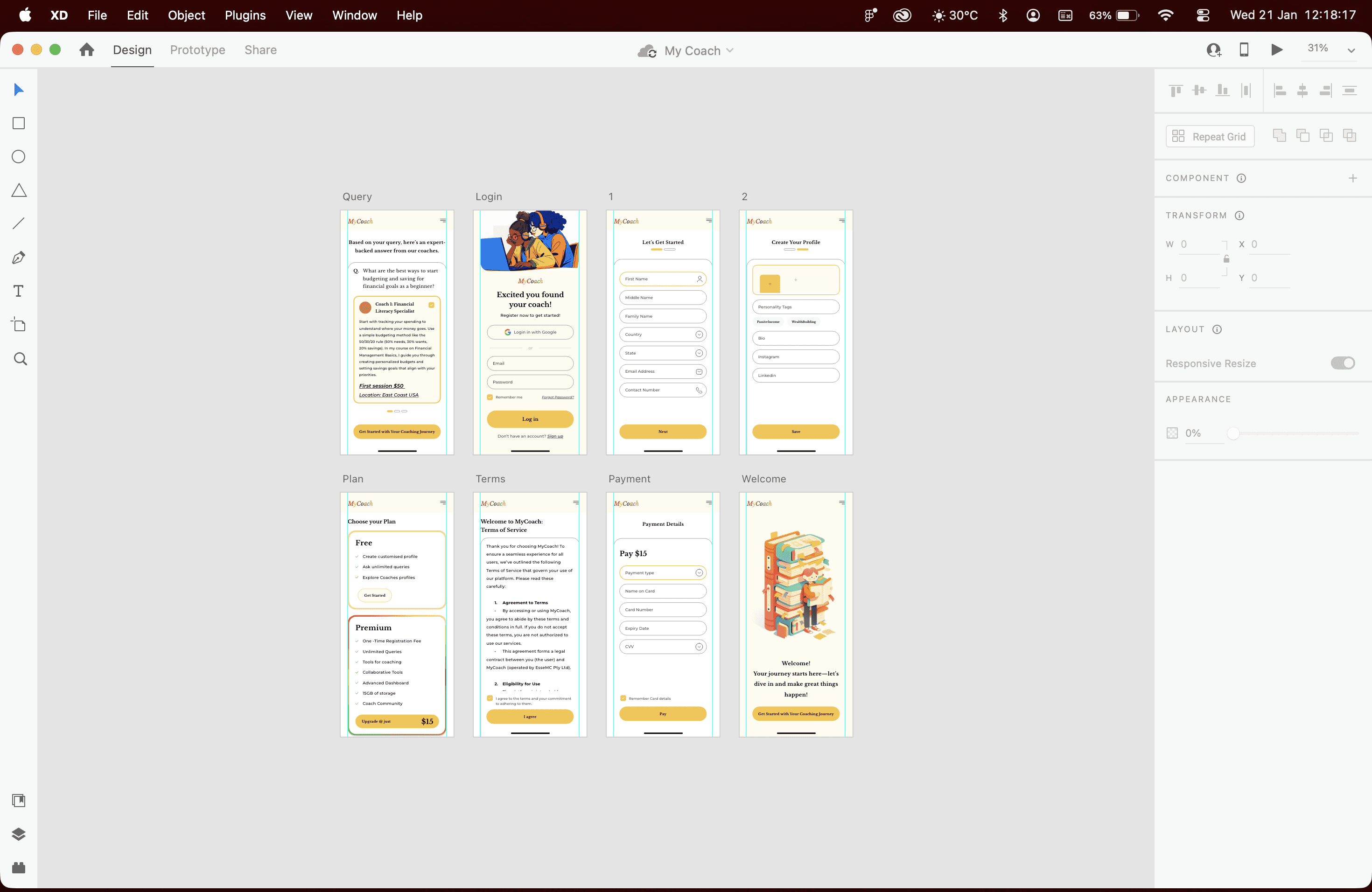
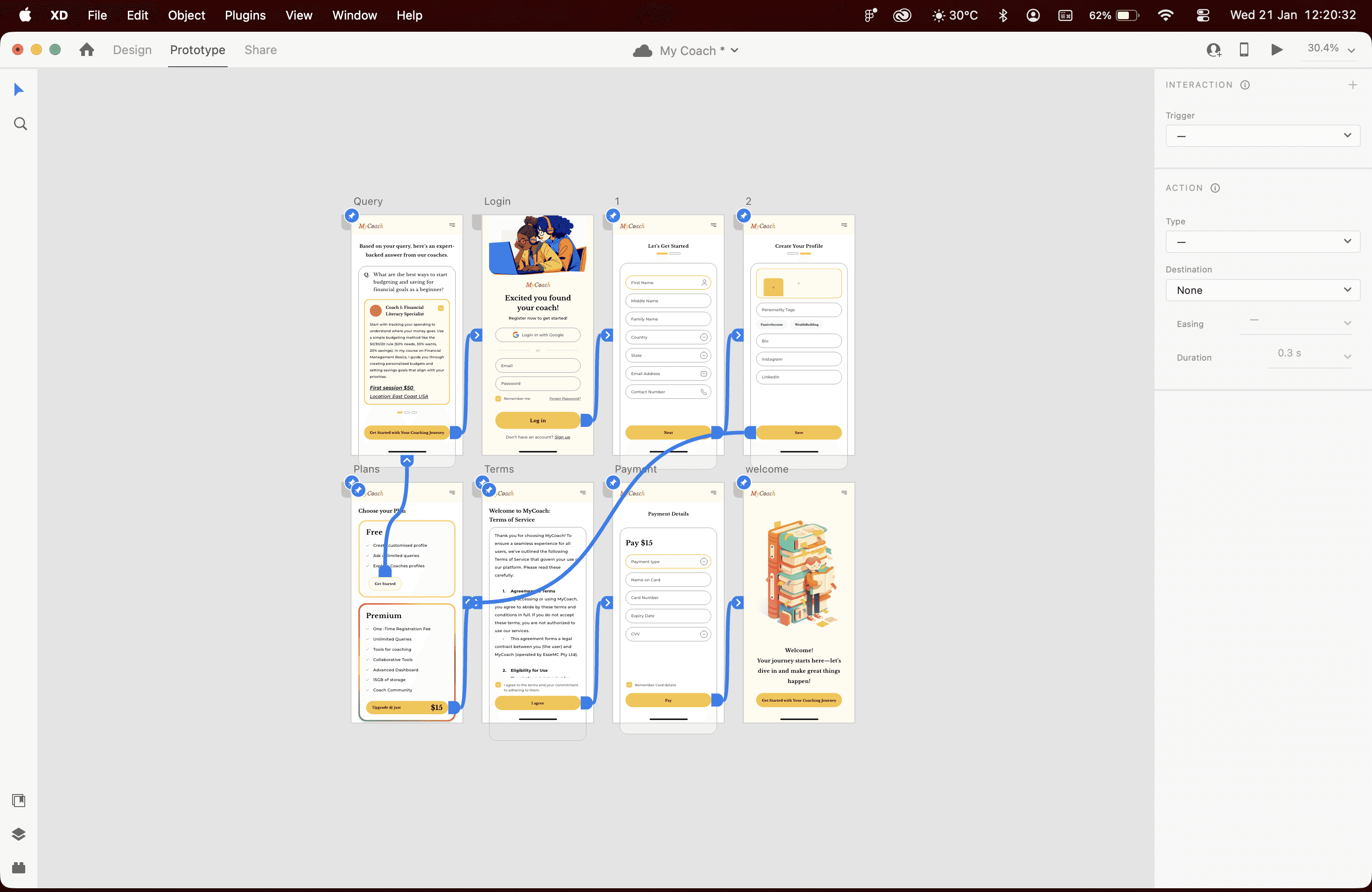
02
Workflow 02
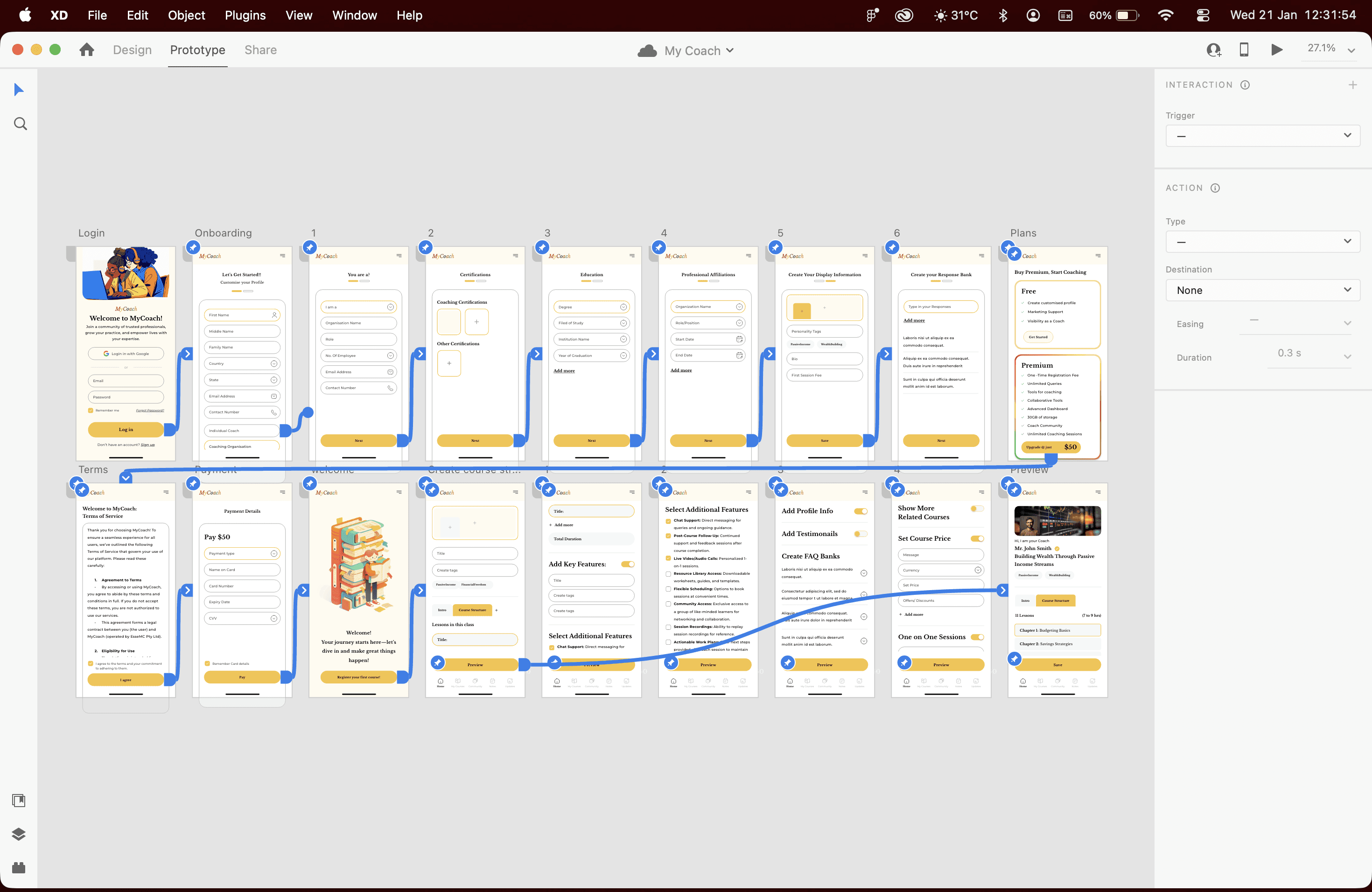
Coach Onboarding & Service Setup
Coaches list subjects and services they offer, define availability, and set expectations. This ensures learner requirements and coach offerings are aligned before sessions begin.
03
Workflow 03
Session Scheduling & Management
Once a match is established, sessions can be scheduled without manual follow-ups. Both learners and coaches have clear visibility into upcoming sessions and changes.
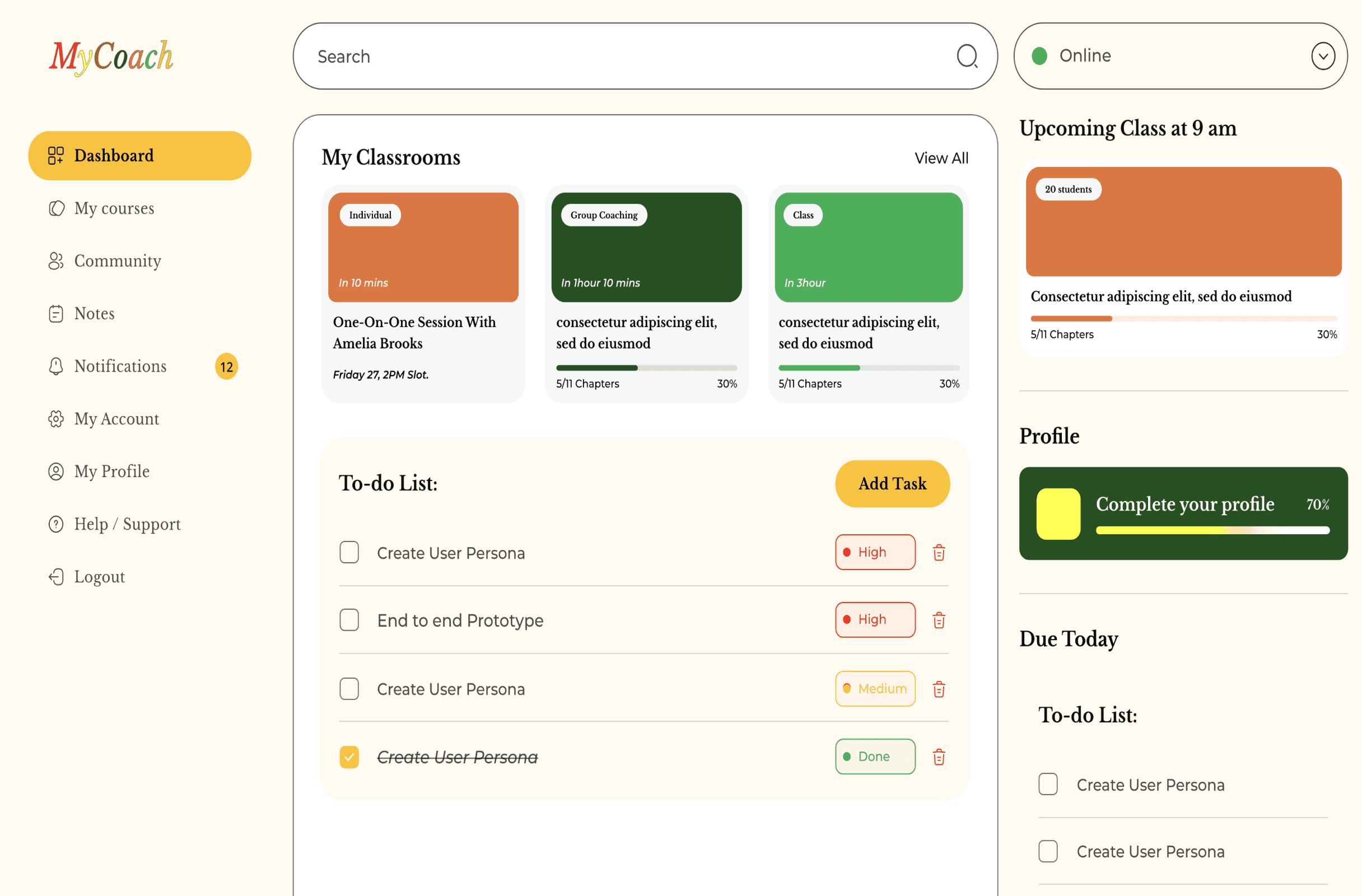
04
Workflow 04
Business & Admin Oversight
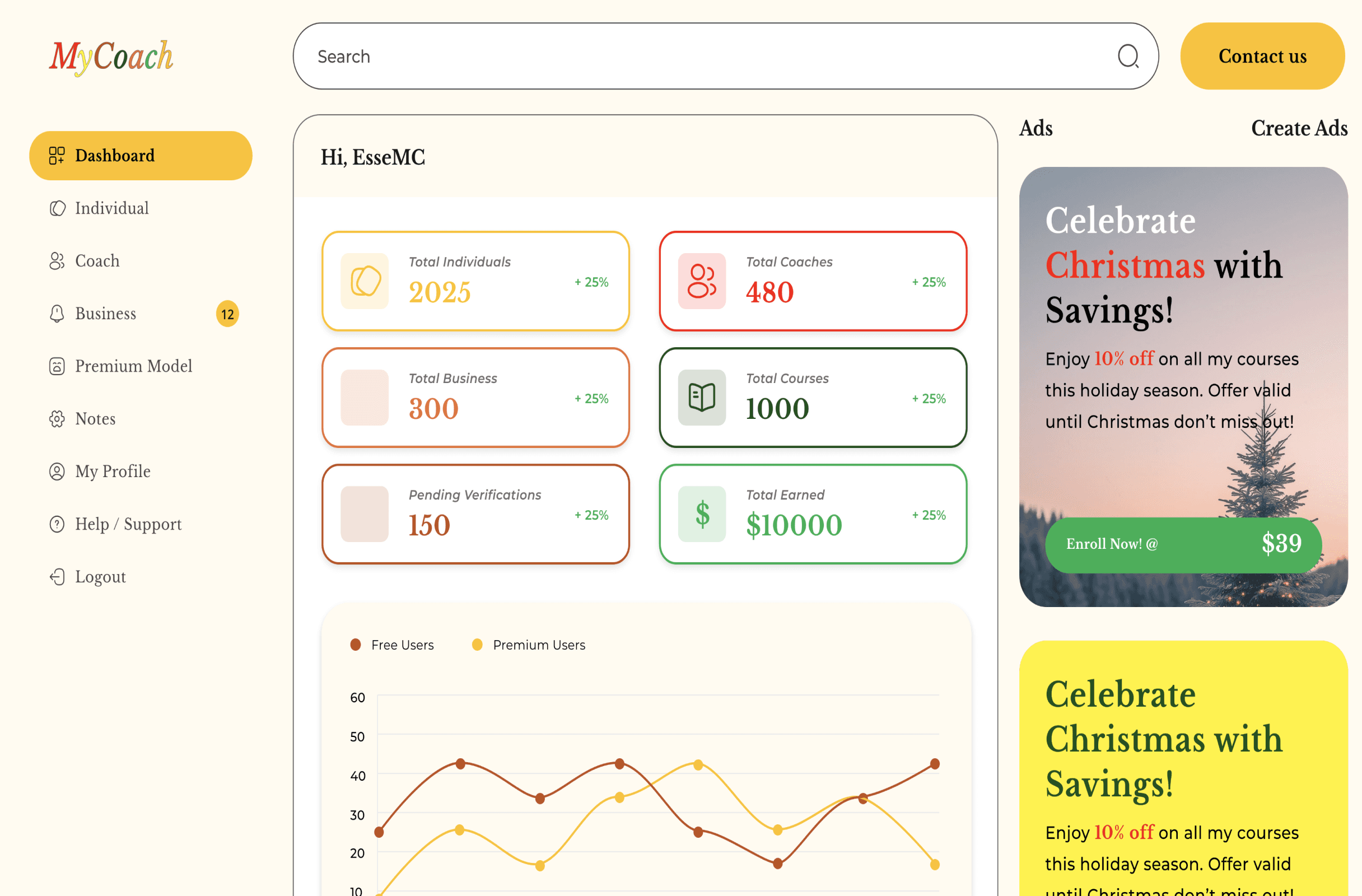
Businesses and admins access dashboards that provide visibility into learners, coaches, sessions, and overall activity, enabling scale without manual tracking.
Key Screens
Rather than showcasing every screen, this section highlights a few key interfaces that represent the core functionality and design decisions of the platform.
01
Key Screen 01 — Learner Requirement Capture
This screen allows learners to define their learning goals, subject requirements, availability, and preferences upfront. Capturing this information early was critical to improving matching accuracy and reducing follow-up coordination.
02
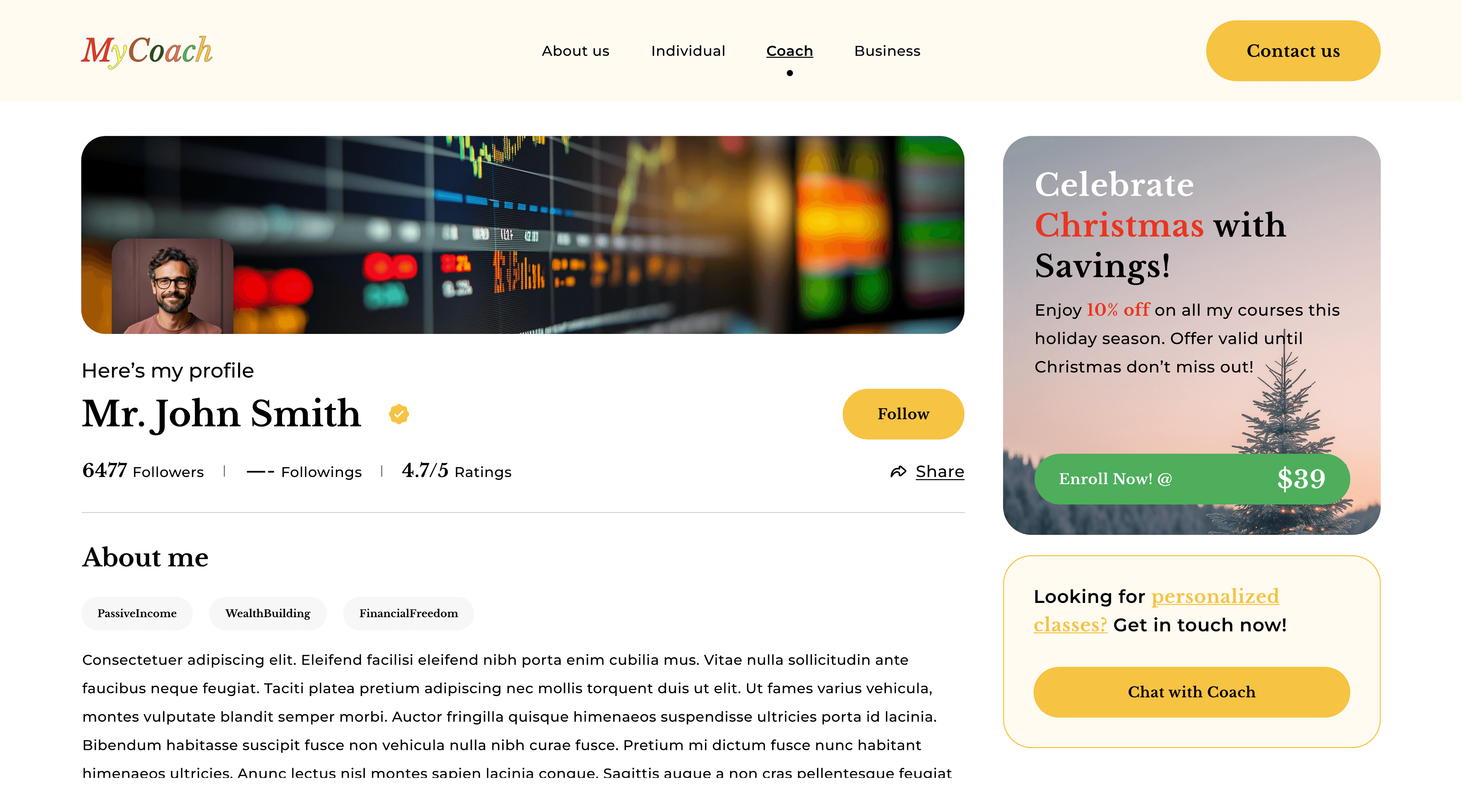
Key Screen 02 — Coach Service & Availability Setup
Coaches use this screen to define the subjects they teach, services offered, and available time slots. Clear inputs here ensured alignment with learner expectations before sessions began.
03
Key Screen 03 — Session Scheduling & Management
This screen provides both learners and coaches with a clear overview of upcoming sessions, changes, and schedules, reducing missed sessions and confusion.
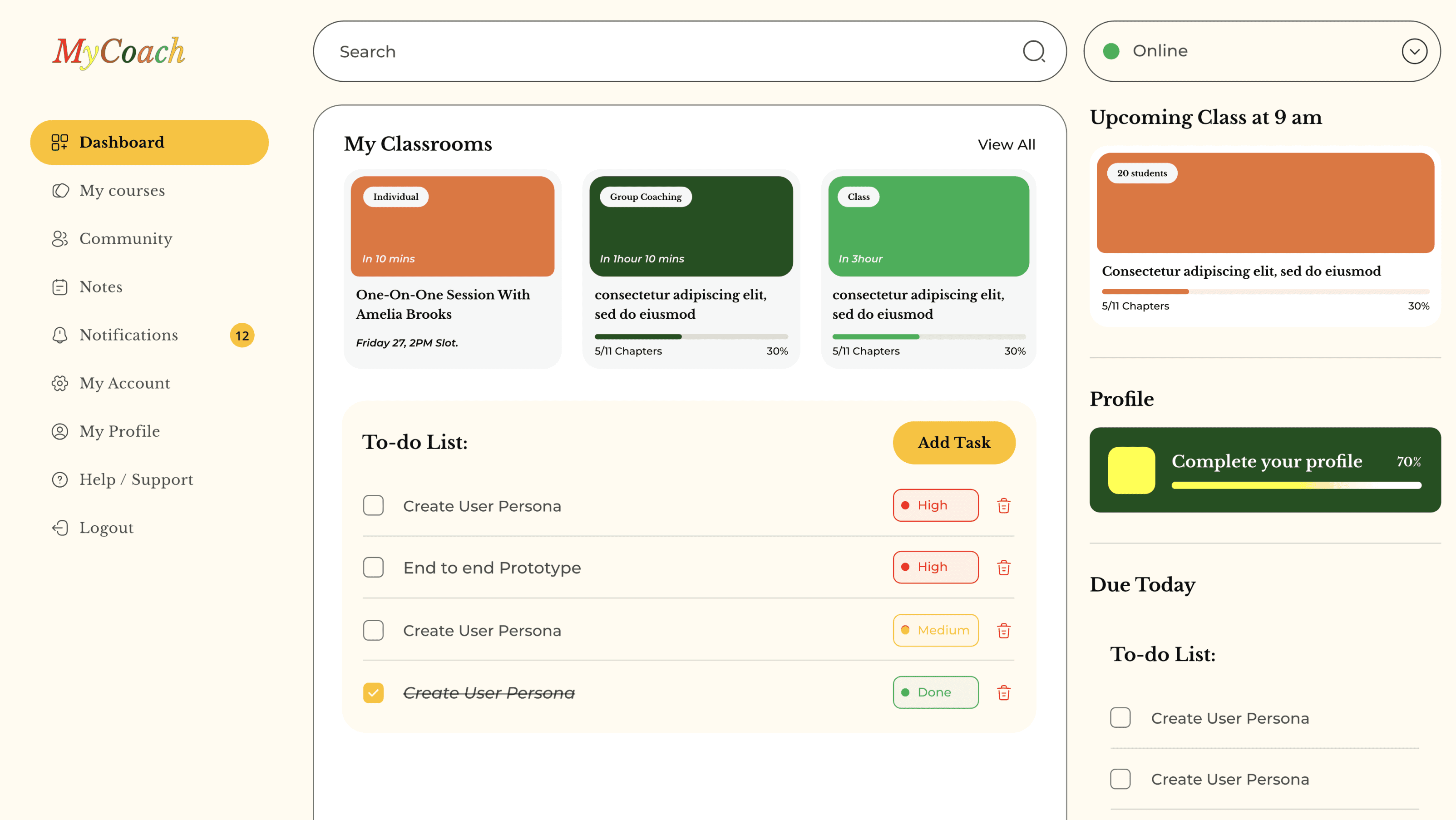
04
Key Screen 04 — Business / Admin Dashboard
The dashboard offers high-level visibility into learners, coaches, sessions, and activity, enabling scale without manual tracking or spreadsheets.
Business or admin dashboard overview
Impact & Outcomes
The redesigned platform transformed a manual, spreadsheet-driven operation into a structured and scalable digital system.
Faster & More Accurate Matching
Learners were matched with suitable teachers more efficiently based on requirements, availability, and preferences, reducing the need for repeated calls and follow-ups.
Reduced Manual Work
Excel-based coordination and manual tracking were largely eliminated, lowering the risk of human error and saving time for all stakeholders.
Improved Learning Experience
Clearer alignment between learner expectations and coach offerings led to more focused sessions and better overall class quality.
Operational Visibility
Admins and business users gained real-time visibility into sessions, users, and activity without relying on spreadsheets.
Scalability
The platform enabled MyCoach to support schools and training institutes—something that was not feasible with manual workflows.
Overall, the platform created a reliable foundation for growth while significantly improving efficiency and experience quality across all user roles.
Next Steps
While MyCoach successfully replaced manual workflows with a scalable digital platform, there are several opportunities to further enhance the experience as the product evolves.
Enhanced Matching Intelligence
Refine AI-based matching by incorporating session feedback, learning outcomes, and long-term engagement patterns.
Improved Progress Tracking
Introduce clearer progress visualization and reporting for learners, coaches, and institutions.
Advanced Business Analytics
Expand dashboards to provide deeper insights for schools and training institutes, supporting data-driven decision-making.
Platform Scalability
Optimize workflows and components to support larger user volumes and additional learning categories.
These next steps focus on strengthening MyCoach as a long-term learning ecosystem while maintaining clarity and simplicity.