Why This Problem Mattered
This problem isn't academic — it's emotional and professional.
—
Speaking up in meetings affects confidence, visibility, and career growth
—
Mistakes feel more costly in professional settings
—
Users often default to English, even when they "know" Dutch
The product needed to reduce fear, not just teach rules.
Key outcomes
—
Reframed learning from "right vs wrong" to confidence and clarity
—
Designed a flexible Speaking → Open → Writing practice model
—
Built a scalable admin system aligned with the learning schema
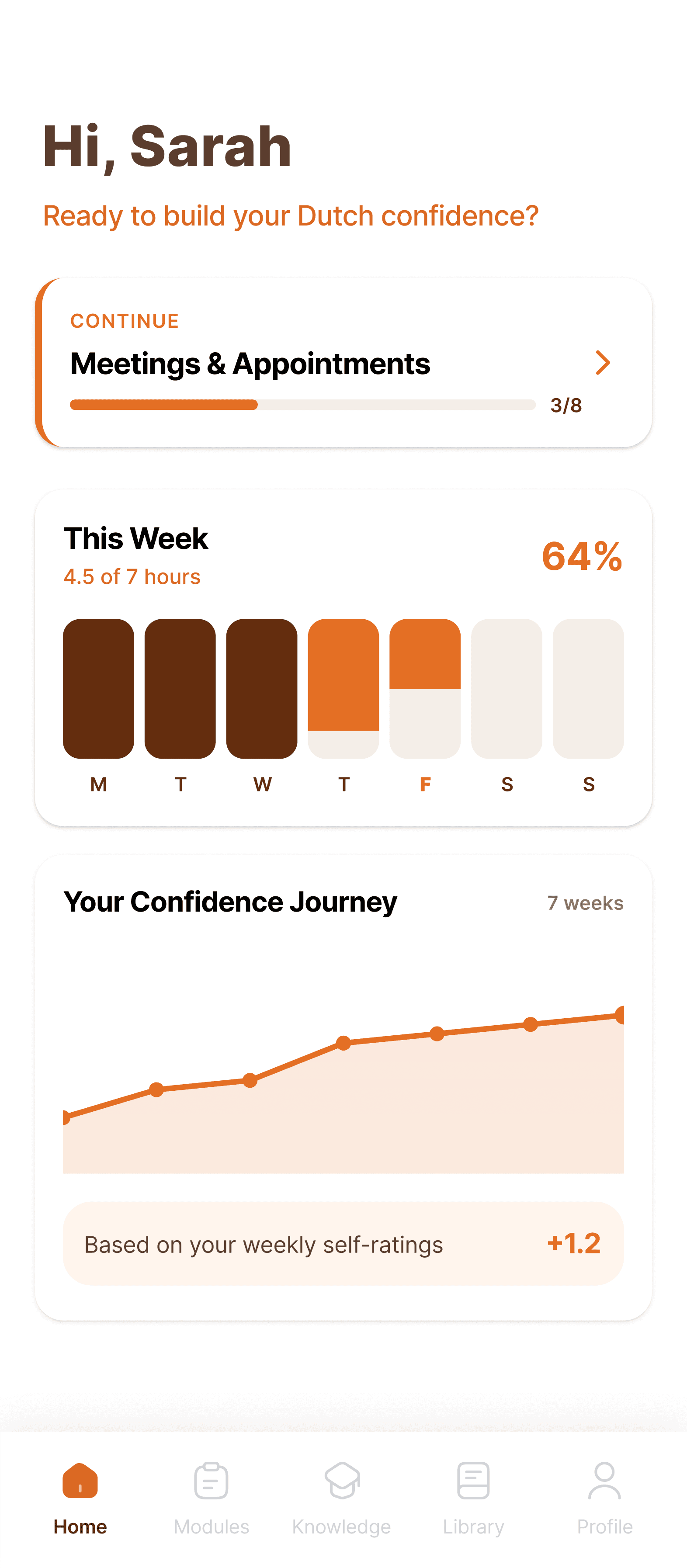
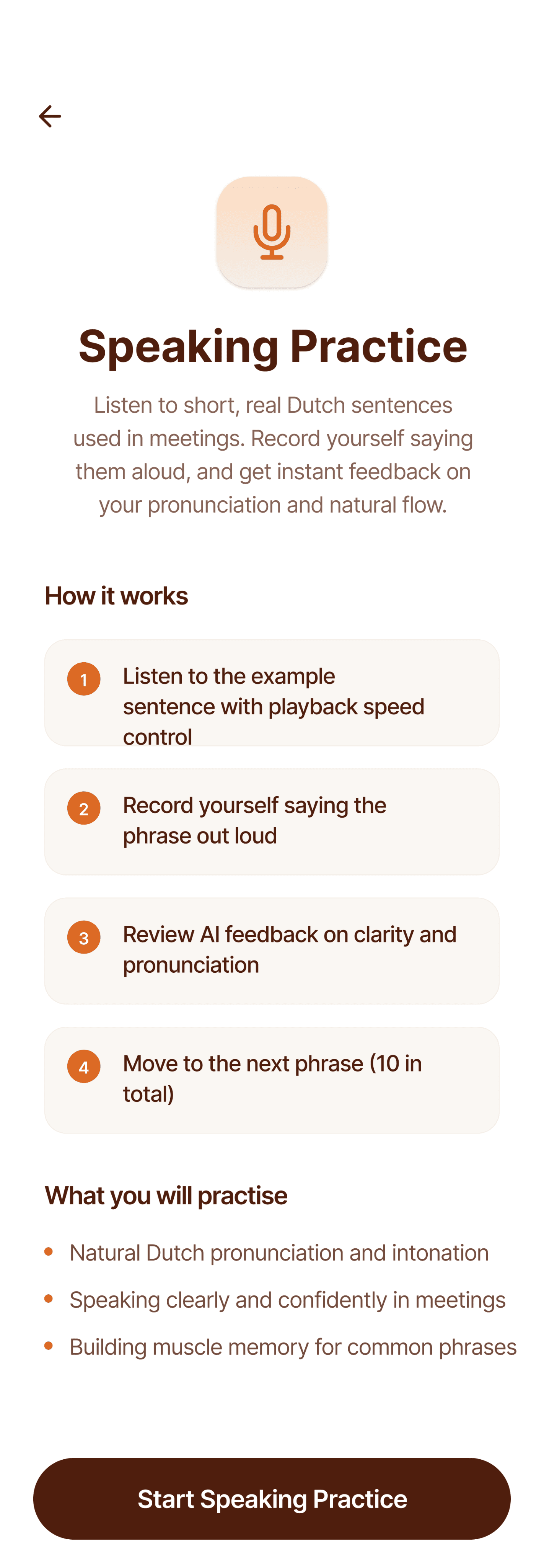
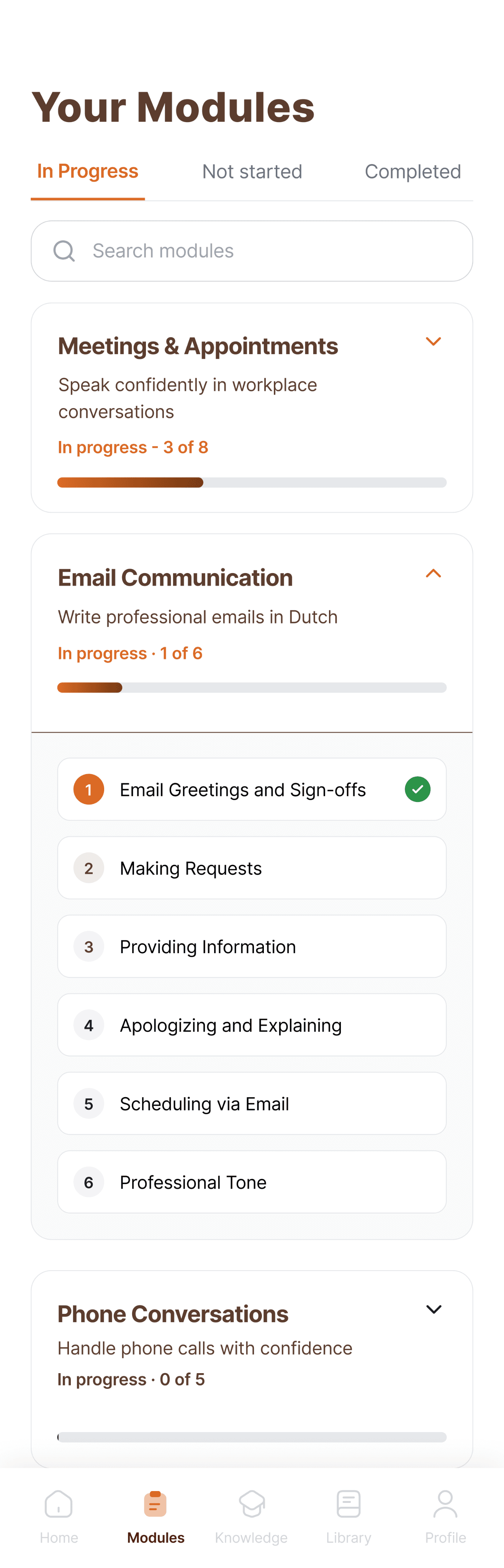
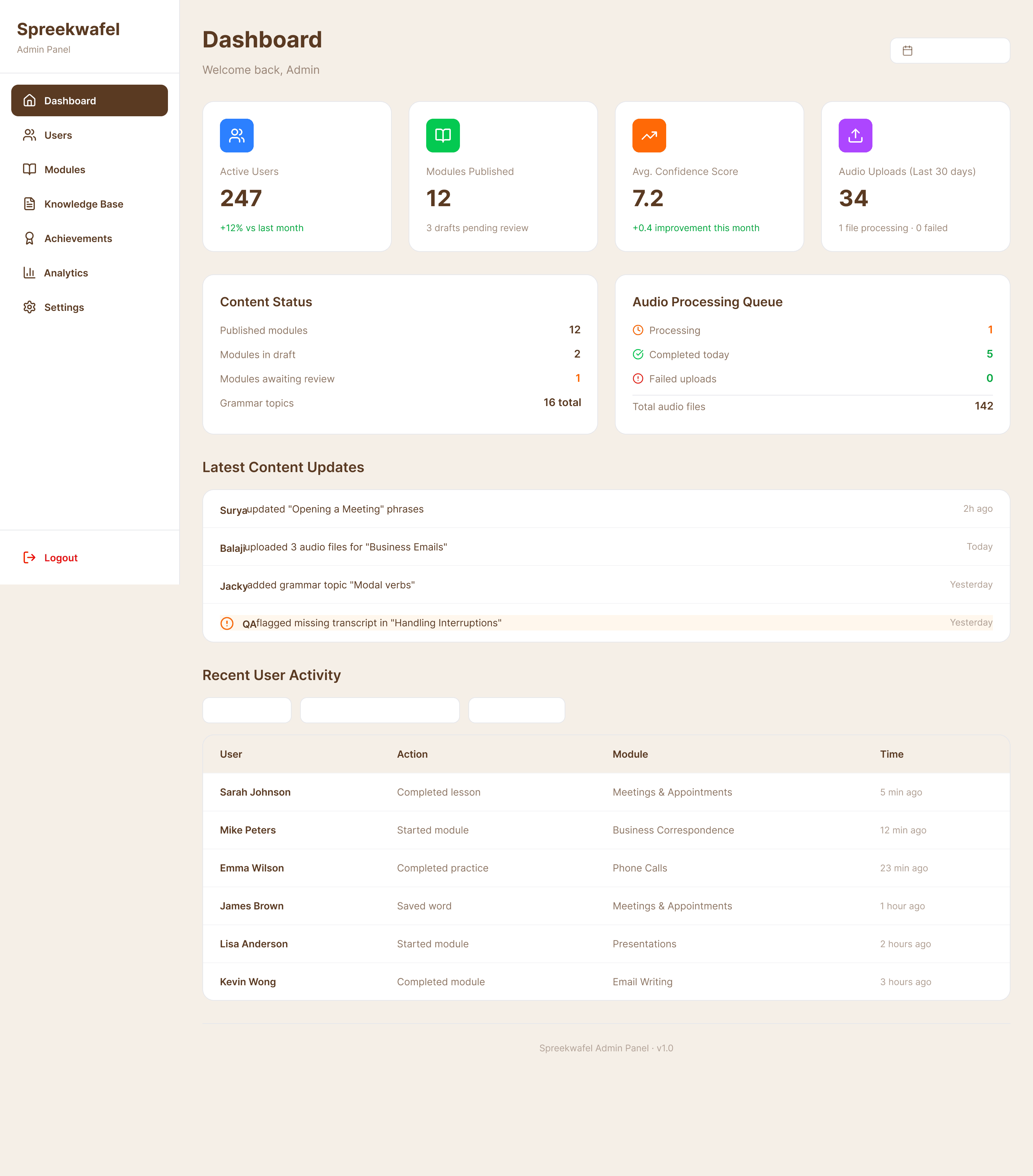
Project Overview
Product
Spreekwafel
Platform
Mobile app (learner) + Web admin panel (content & operations)
Domain
Language learning / EdTech
Focus
Professional Dutch for workplace communication
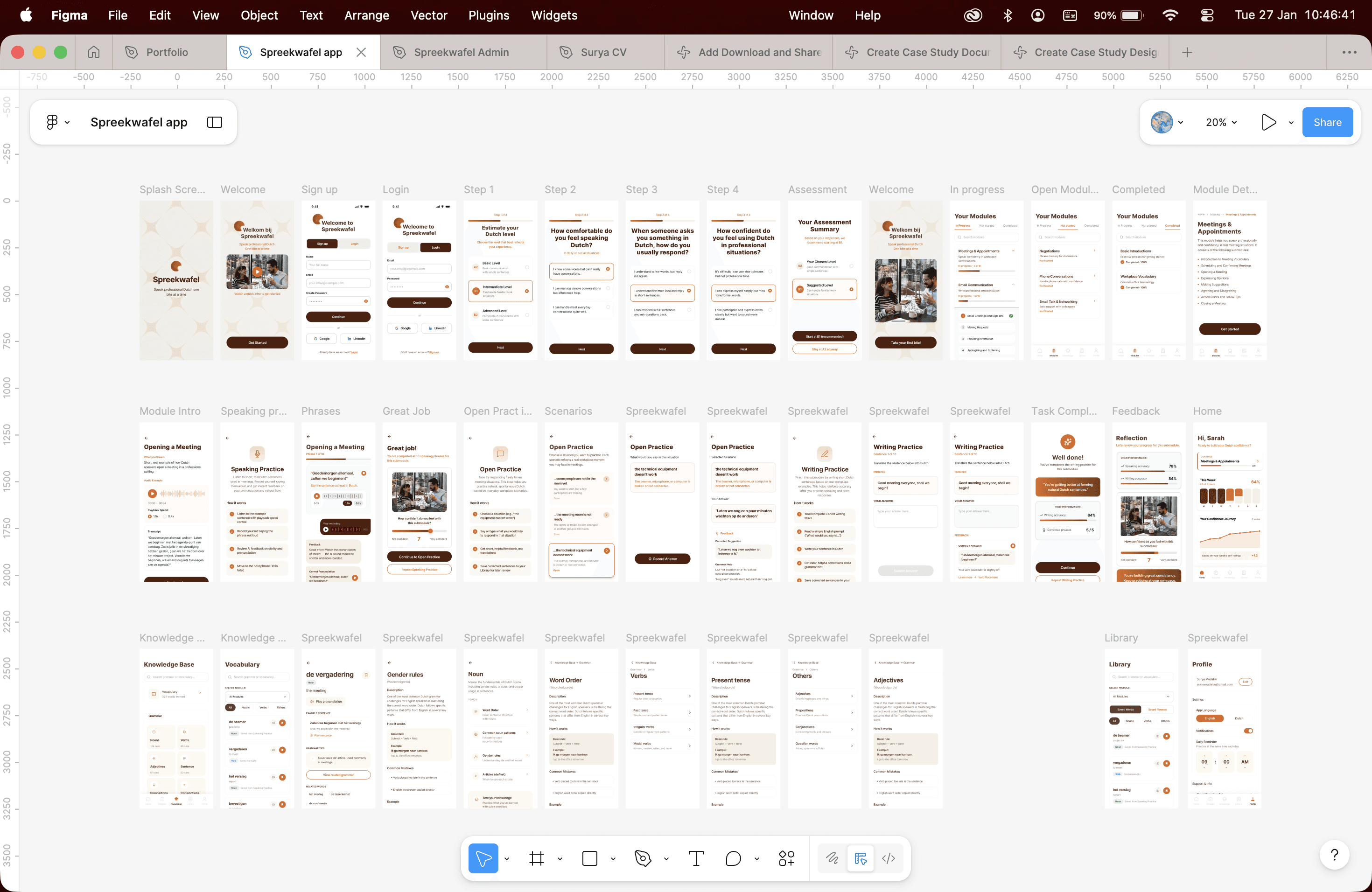
The goal was to help non-native professionals confidently participate in meetings, calls, and workplace conversations — not just learn Dutch, but use it under real pressure.
I worked closely with the founder and stakeholders to design:
—
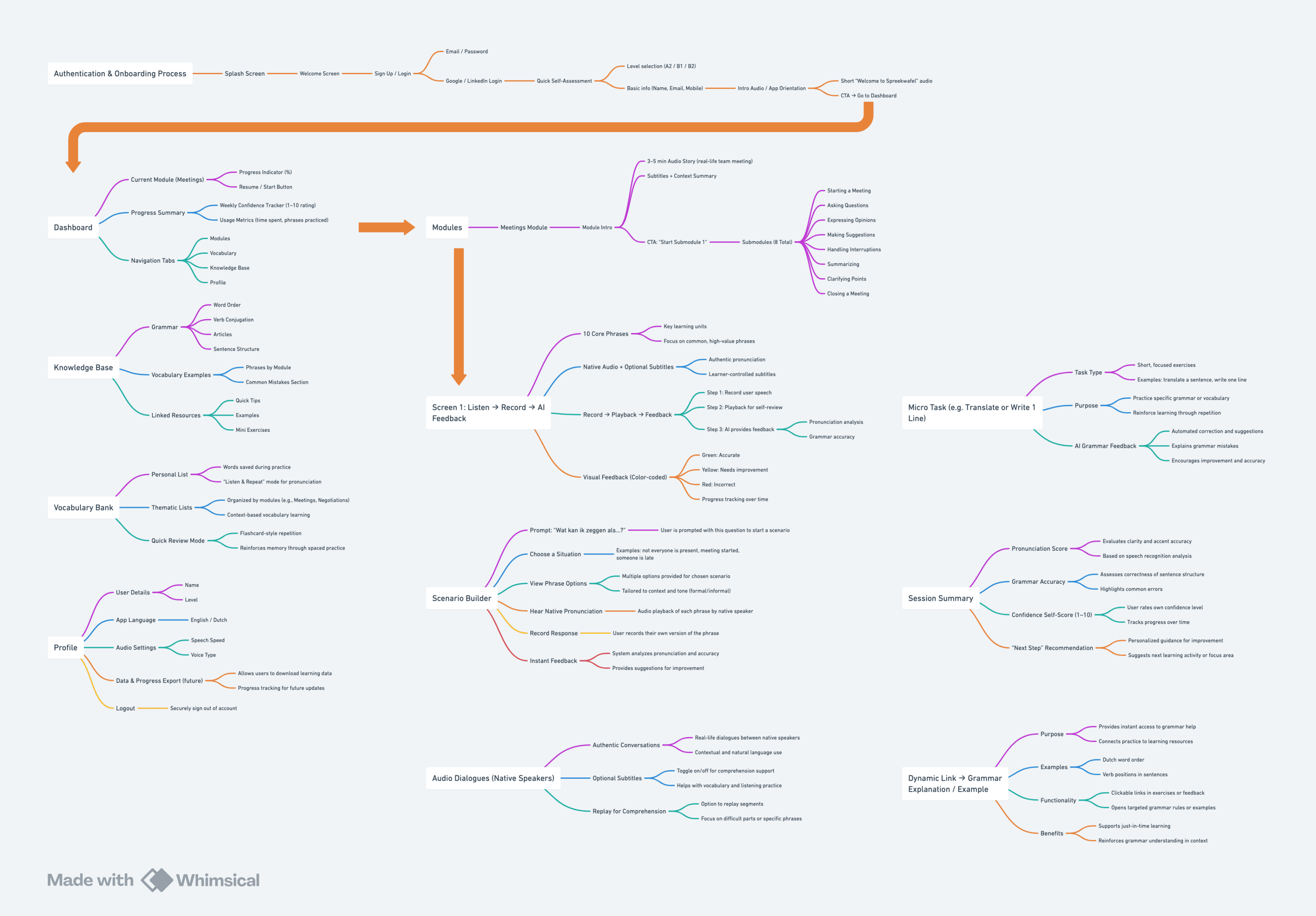
The learner experience (onboarding → learning → practice → reflection)
—
The content architecture (modules, submodules, phrases, scenarios)
—
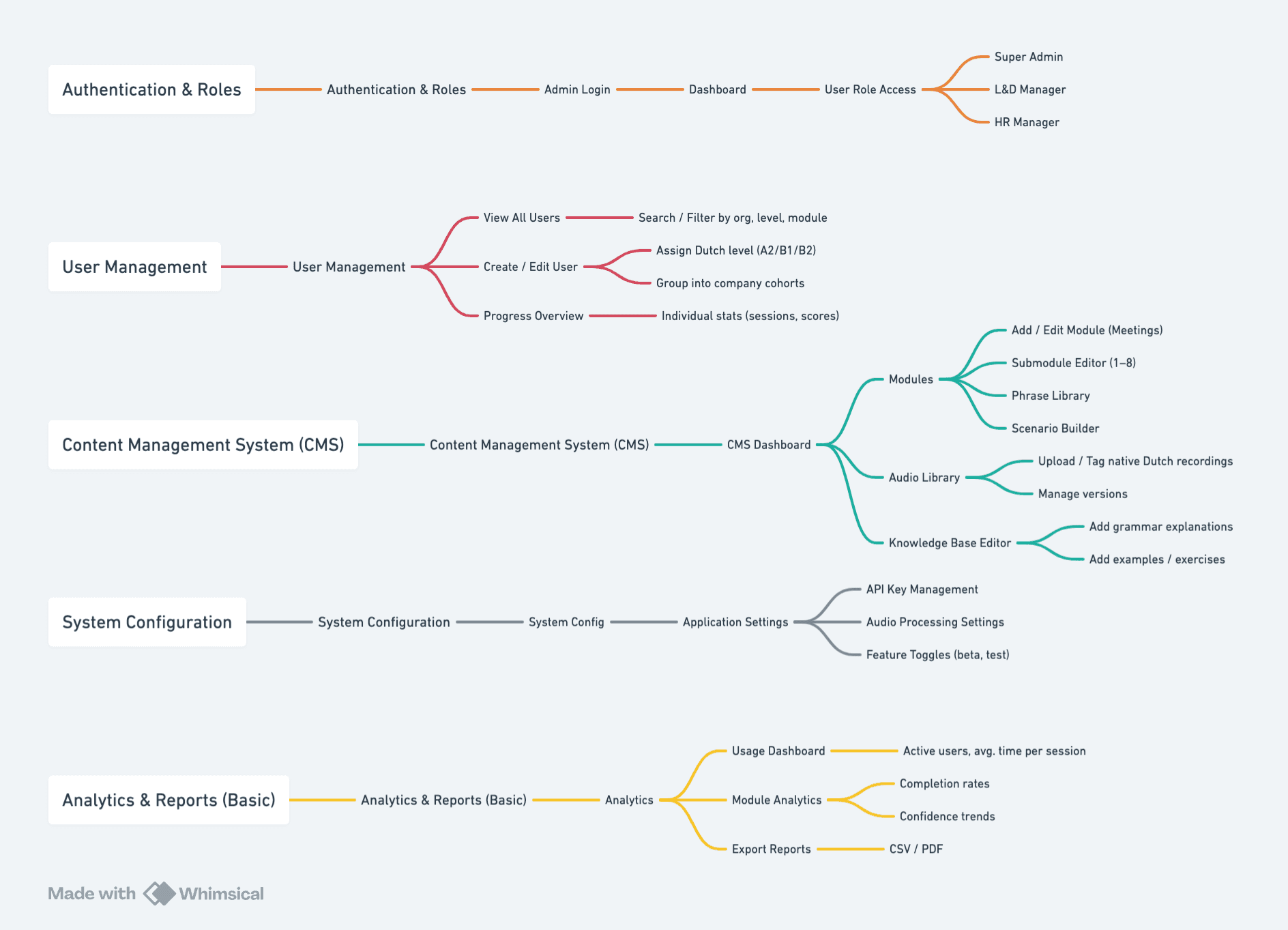
The admin system that enables scalable content creation
The Problem (Before)
Most language learning apps:
—
Over-emphasize vocabulary memorization and translation
—
Assume correctness equals confidence
—
Fail to prepare users for real conversations, where there is ambiguity, interruption, and pressure
For professionals, this leads to a critical gap:
Users may "know" the language, but freeze when they need to speak in real meetings.
Goals & Success Criteria
Primary goals
—
Increase user confidence in spoken Dutch
—
Encourage repeated speaking practice
—
Reflect real workplace situations
Design success meant
—
Users speak before they write
—
Practice feels realistic, not scripted
—
Feedback supports learning without discouraging
No artificial engagement metrics were invented — success was measured by clarity of learning flow and stakeholder alignment.
Research & Discovery
Formal generative research was limited, but discovery came through:
—
Stakeholder interviews
—
Iterative reviews of learning flows
—
Continuous client feedback on realism and tone
A major turning point came when client feedback highlighted that:
—
AI feedback felt too "translation-like"
—
Open practice needed to be truly open, not guided toward one answer
This feedback directly reshaped the practice flows.
Key Insights
Speaking must come first
Writing and grammar reinforce learning, but speech builds confidence.
Open scenarios matter more than perfect answers
Real situations don't have one correct sentence.
Repetition works best through context
Reusing the same phrases across speaking, open, and writing practice strengthens retention.
Saved content should feel personal
Users want a personal library of phrases they care about — not another vocabulary list.
Design Principles
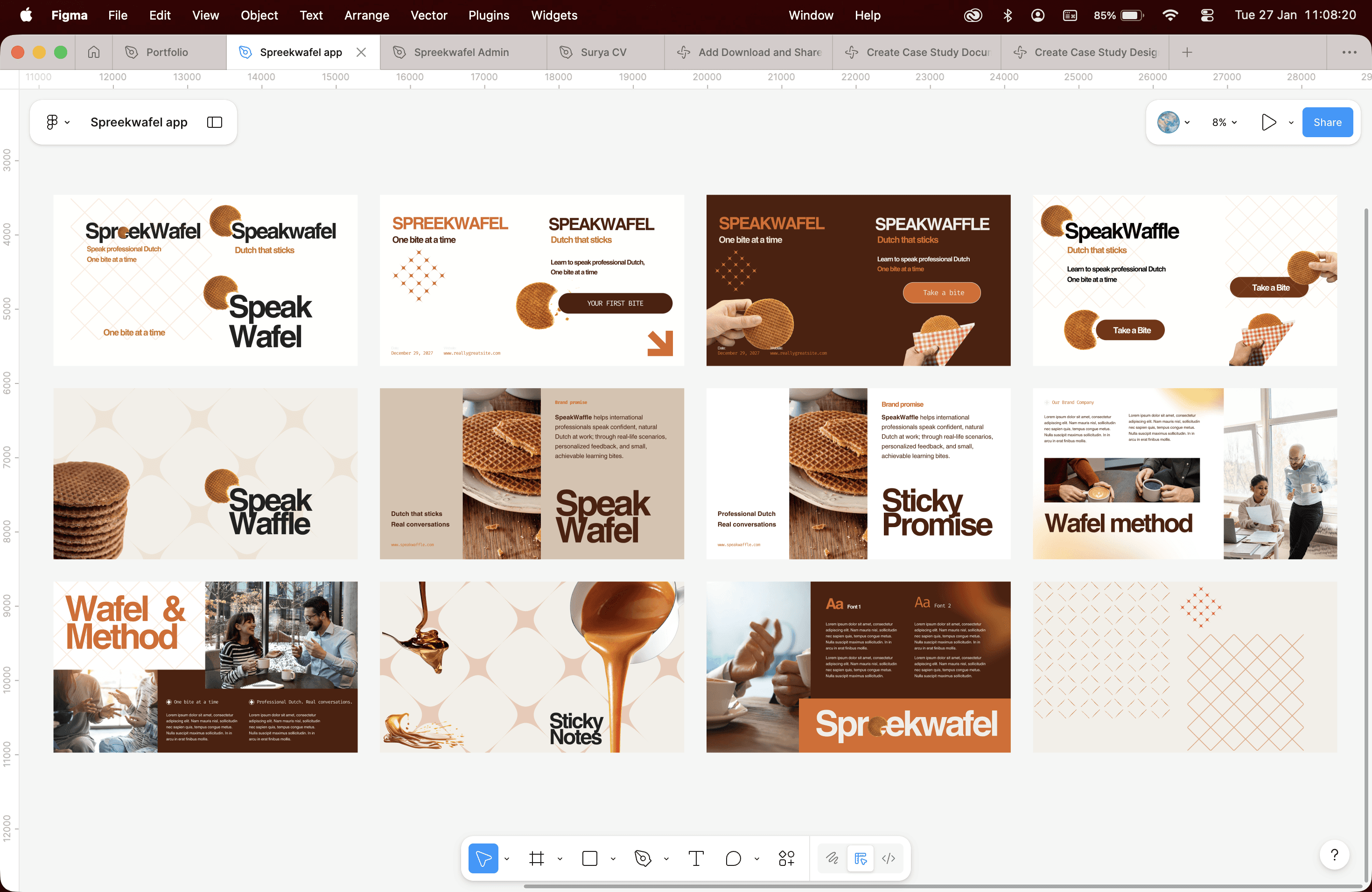
These principles guided every design decision:
—
Confidence before correctness
—
One learning intent per screen
—
Practice mirrors real life
—
Progressive disclosure over overload
—
Admin tools reflect the learning model
Solution Overview
Spreekwafel is structured around:
—
Modules (e.g., Meetings & Appointments)
—
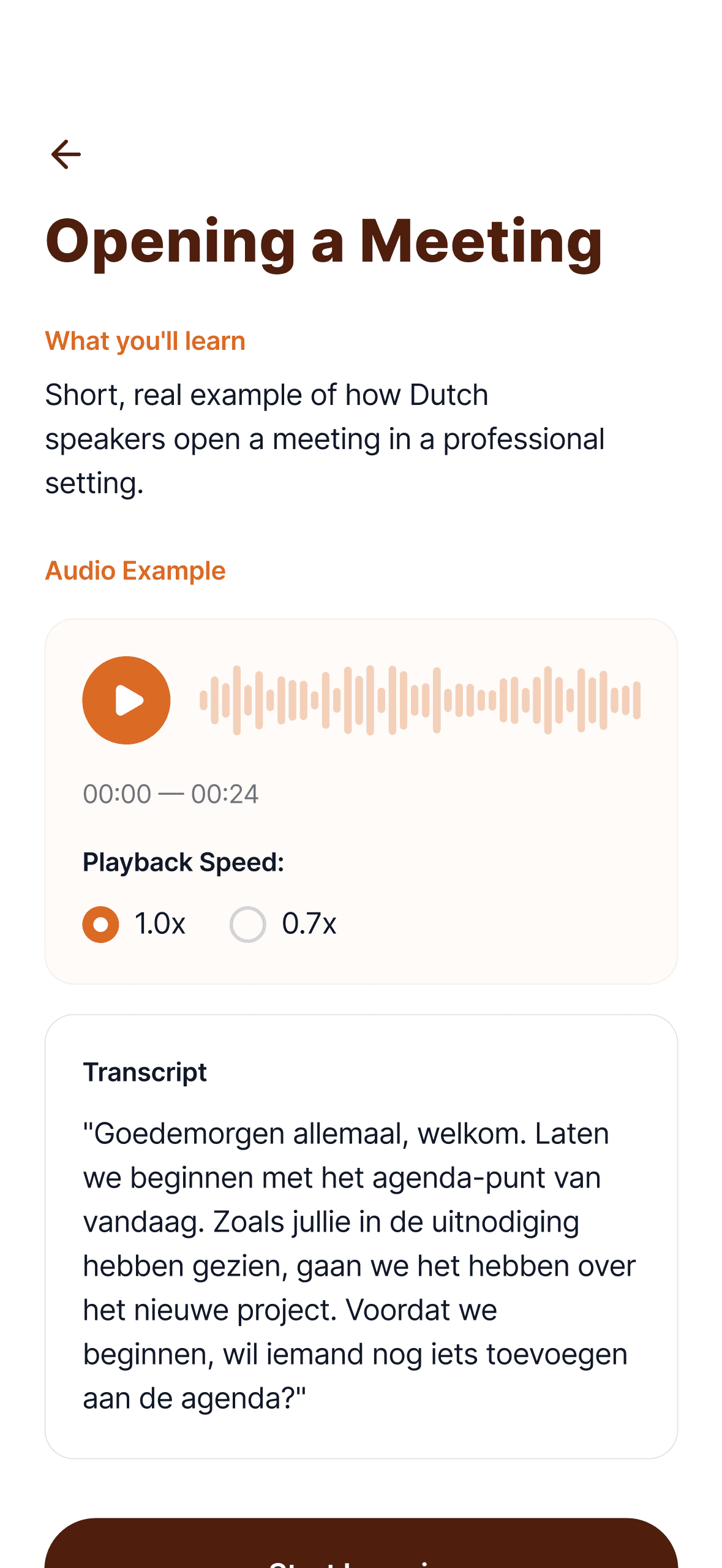
Submodules (e.g., Opening a Meeting)
—
Three practice types
·
Speaking Practice
·
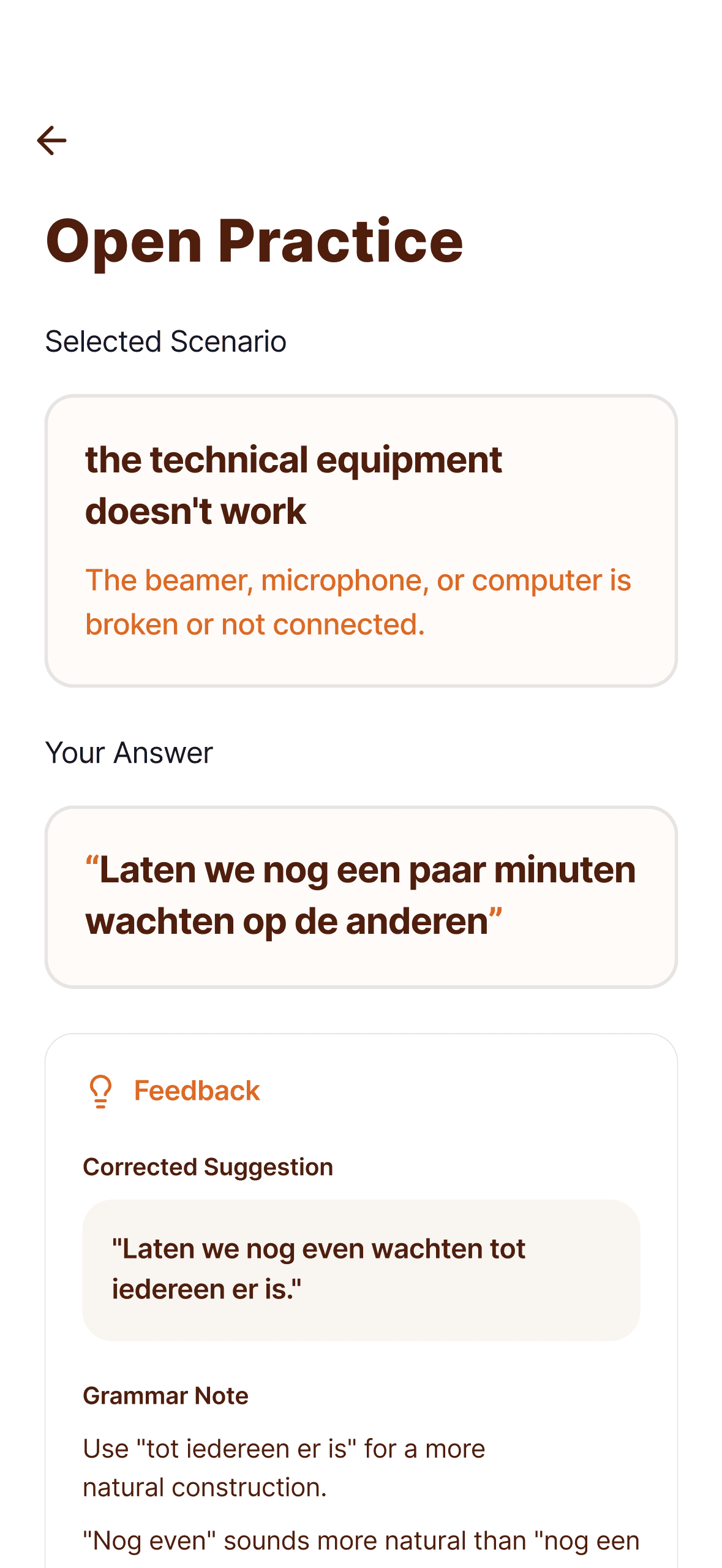
Open Practice (scenarios)
·
Writing Practice
—
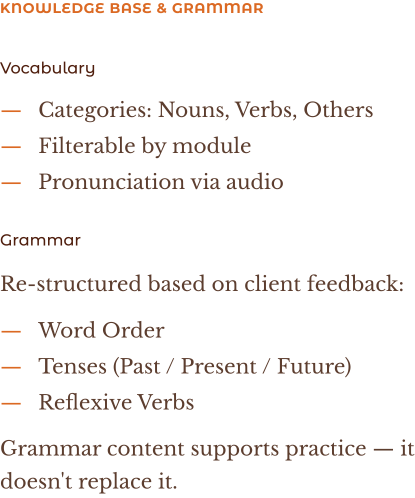
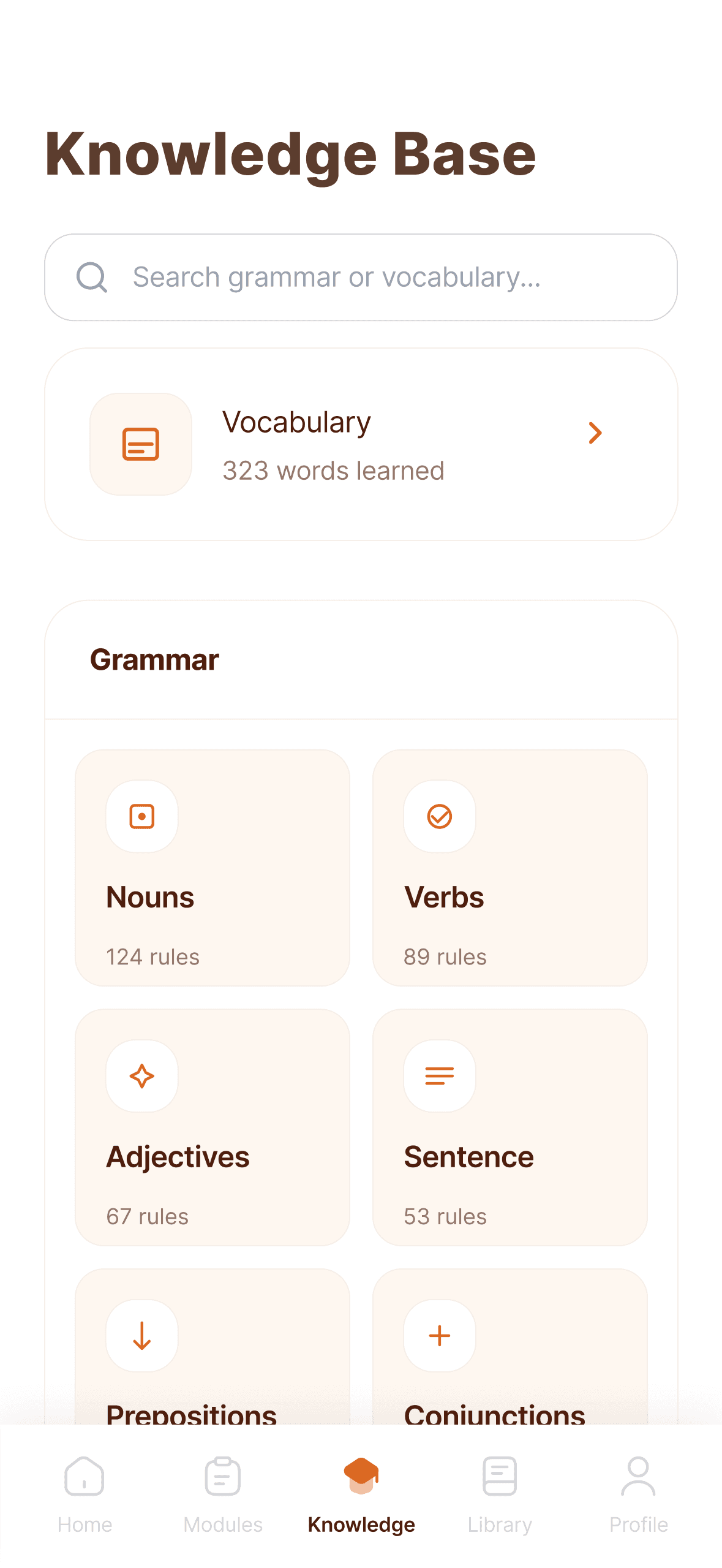
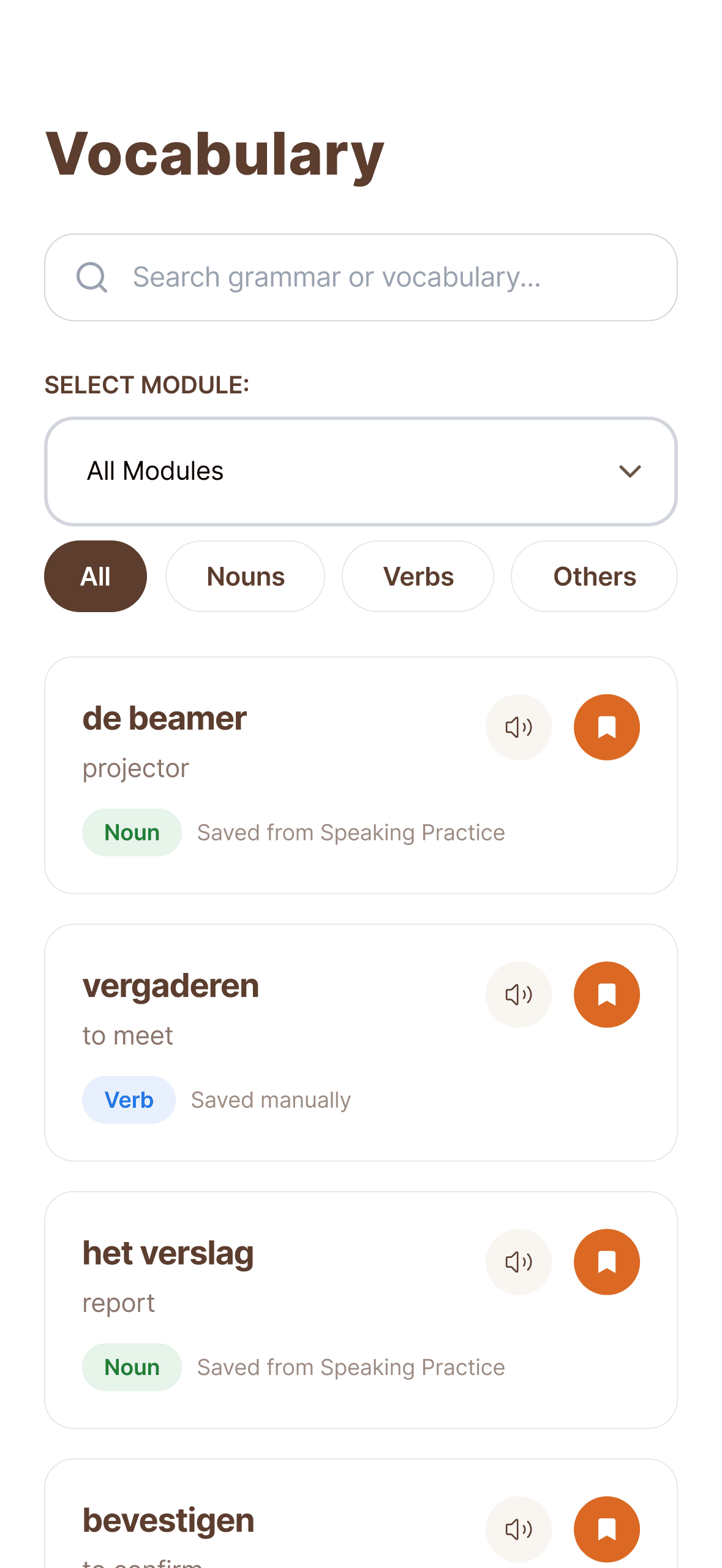
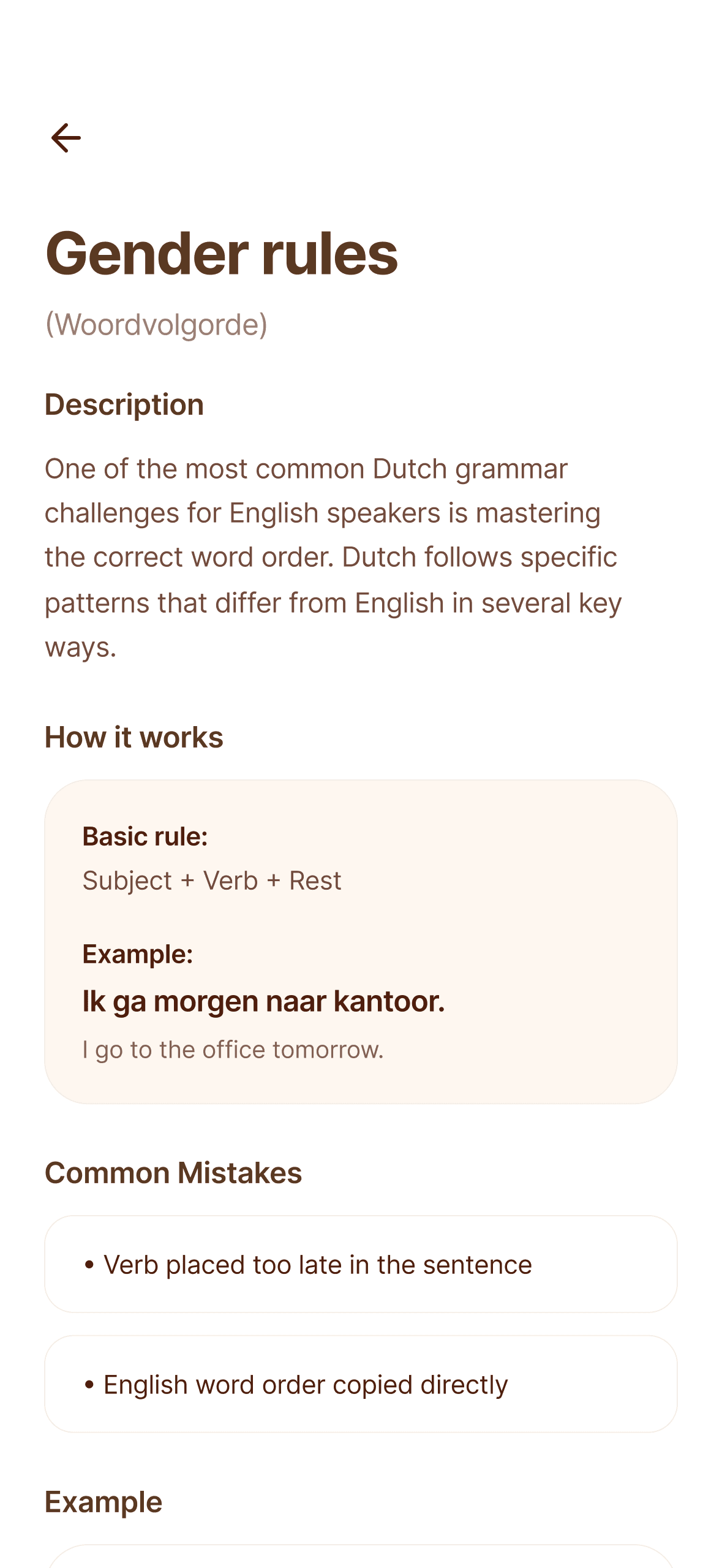
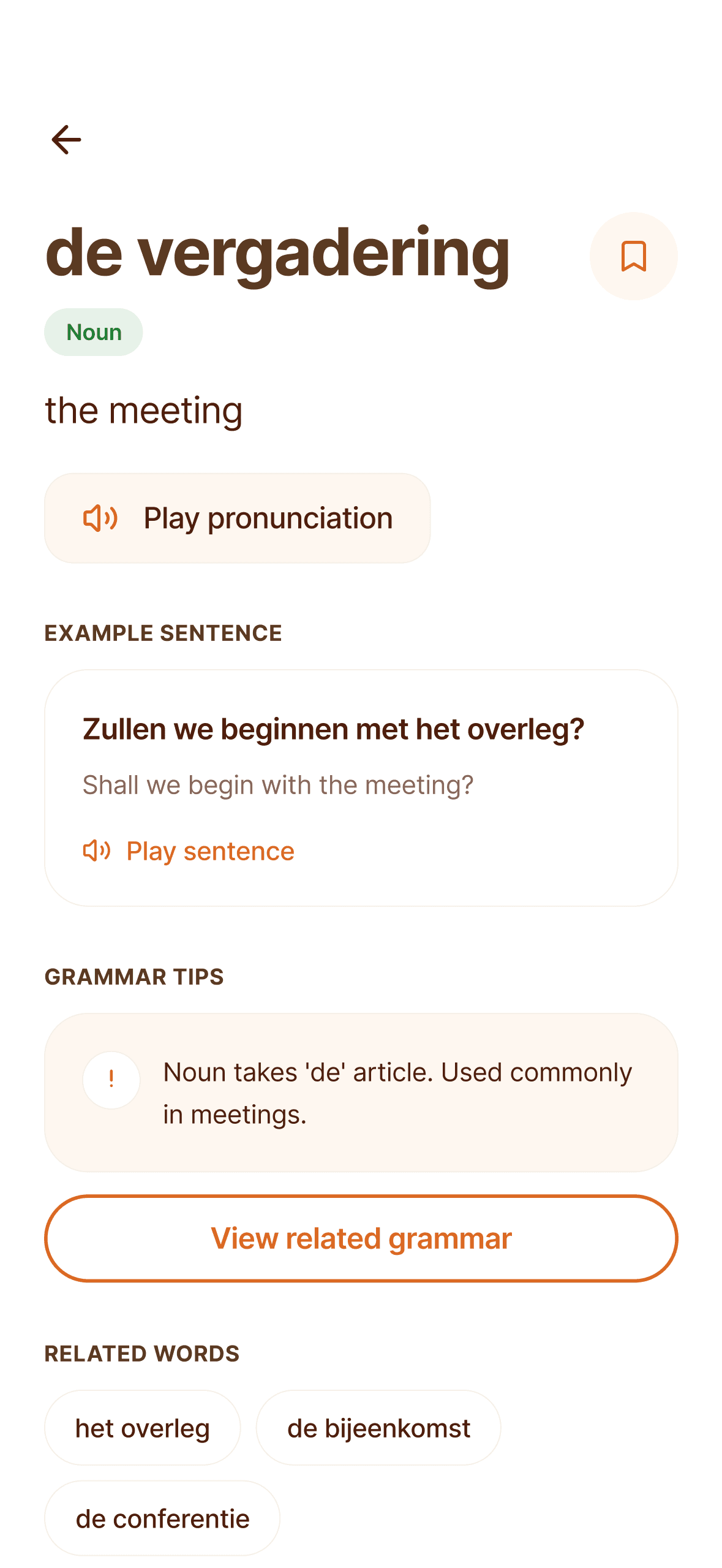
Knowledge Base (Grammar + Vocabulary)
—
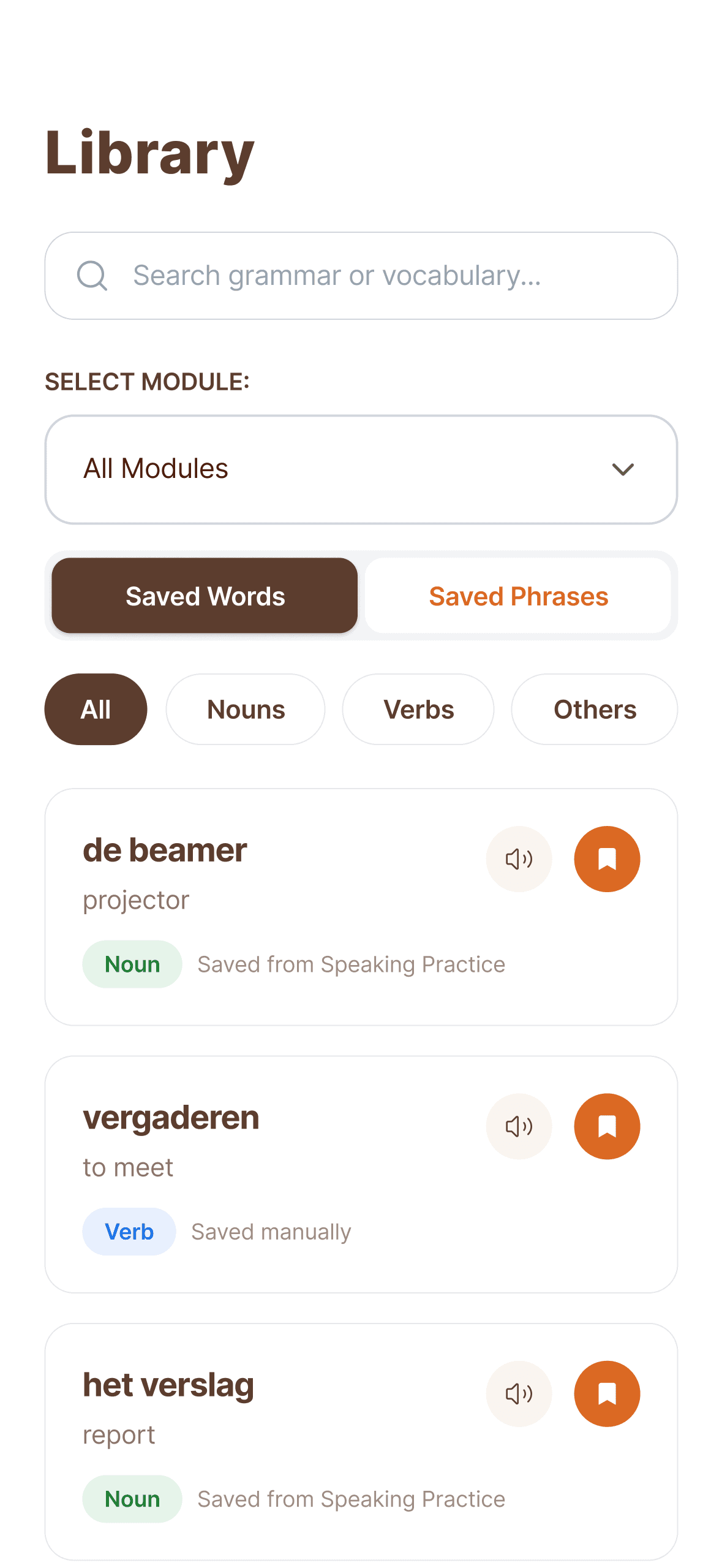
Library (Saved words & phrases)
Open Practice (Scenarios)
—
Realistic workplace situations
—
Multiple valid responses
—
Users can record or type
—
AI feedback focuses on clarity and naturalness, not literal translation
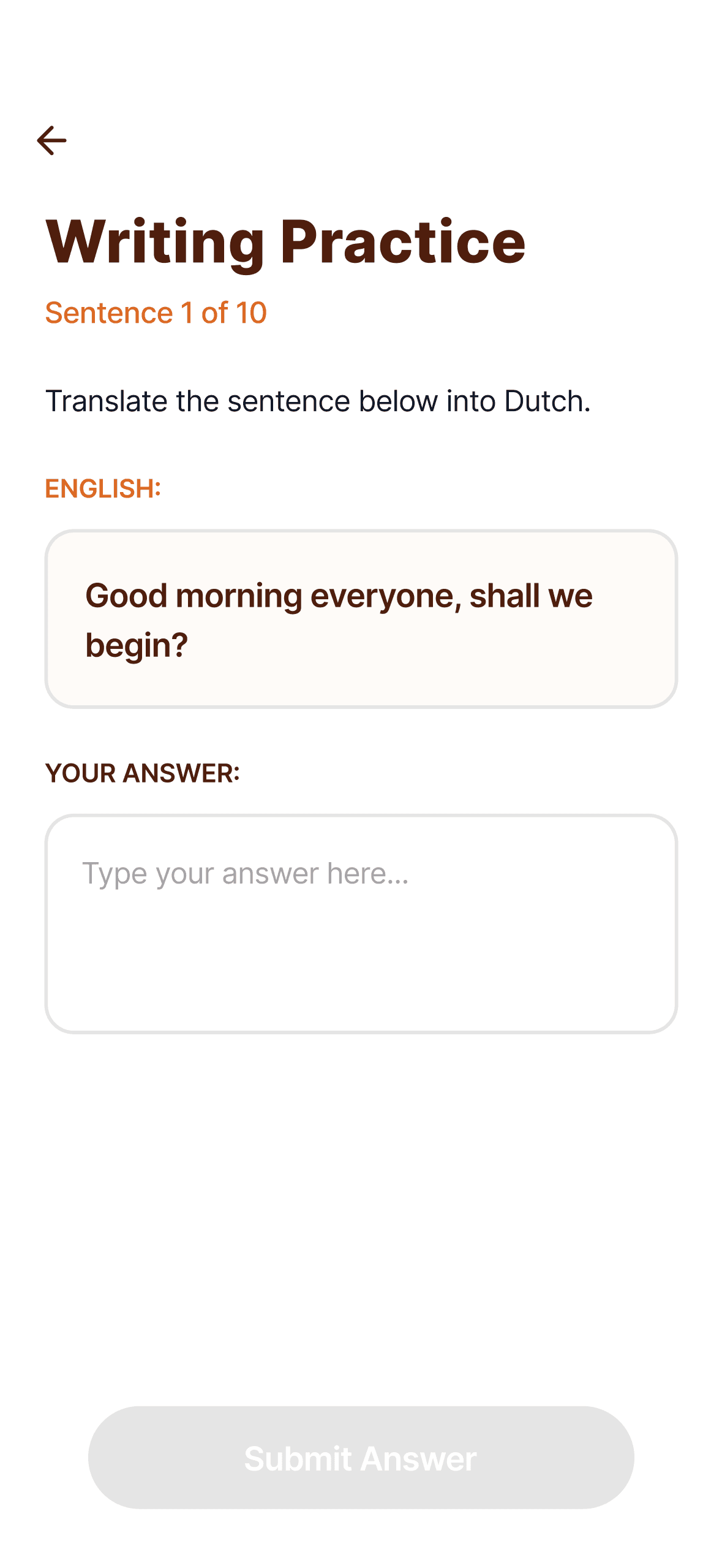
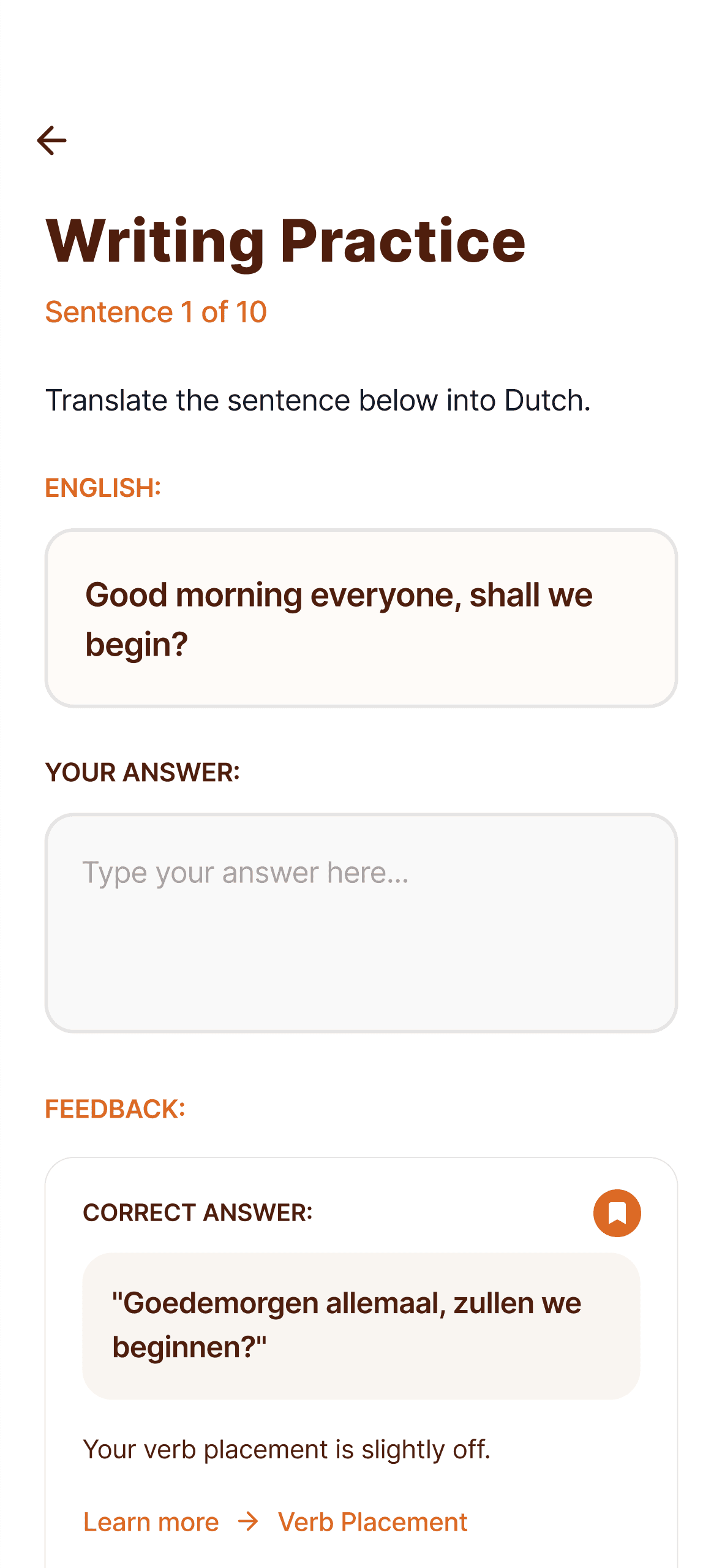
Writing Practice
—
Reuses phrases already learned
—
Translation for reinforcement, not intro..
—
Feedback links back to grammar concepts
Library & Profile
Library
A personal collection of:
—
Saved words
—
Saved phrases from practice
Structured for quick recall and revision.
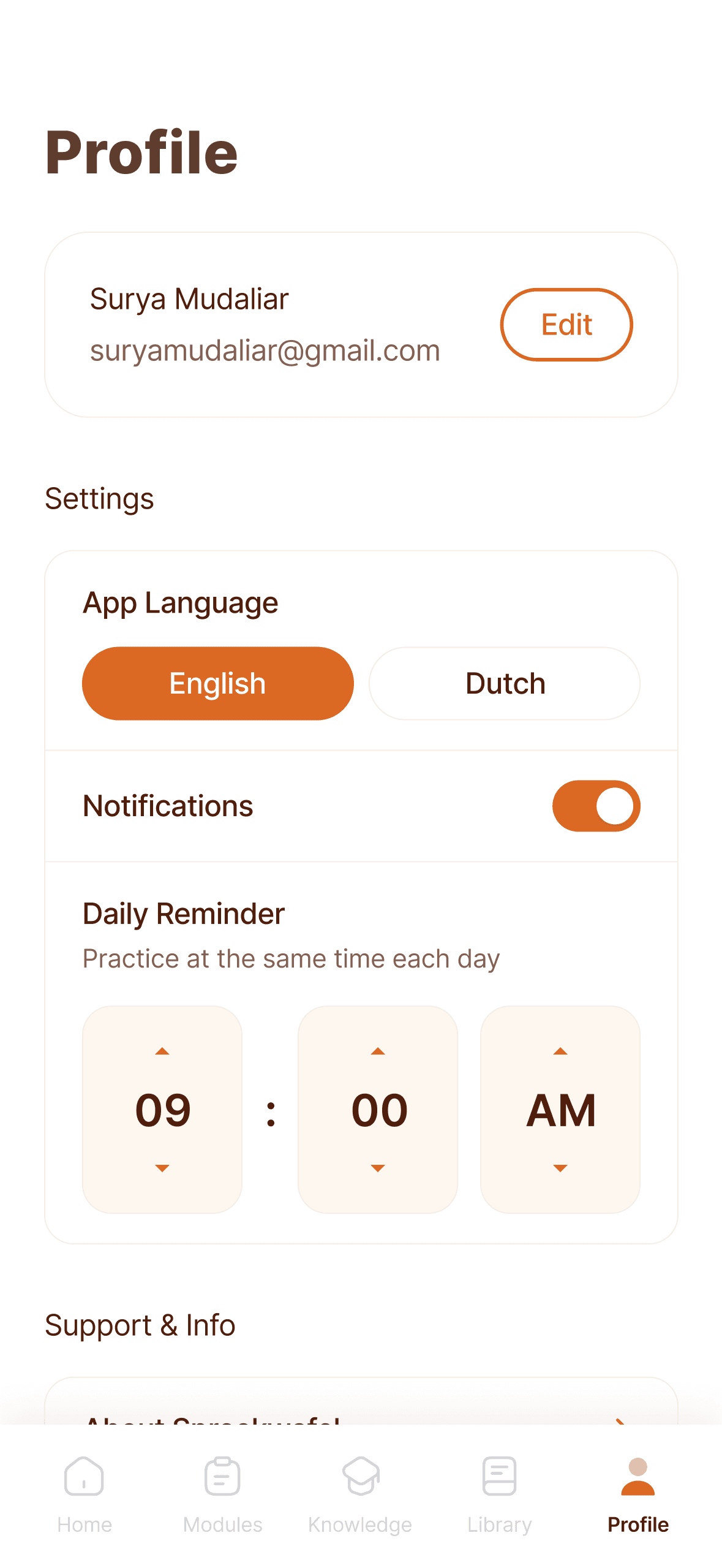
Profile
—
Simplified to reduce cognitive load
—
Focused on settings and support
—
Removed level badge confusion
Admin Panel (Content System)
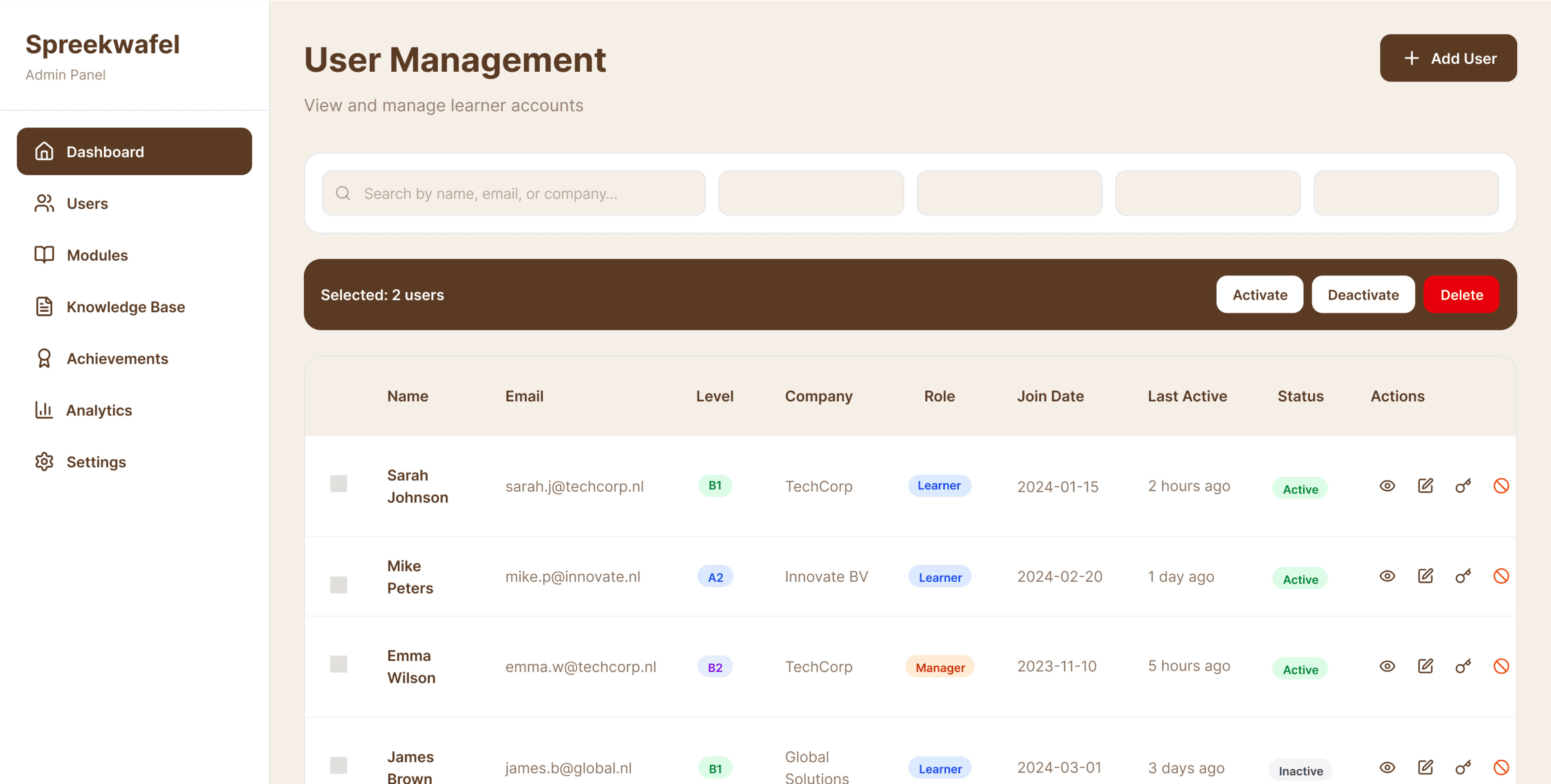
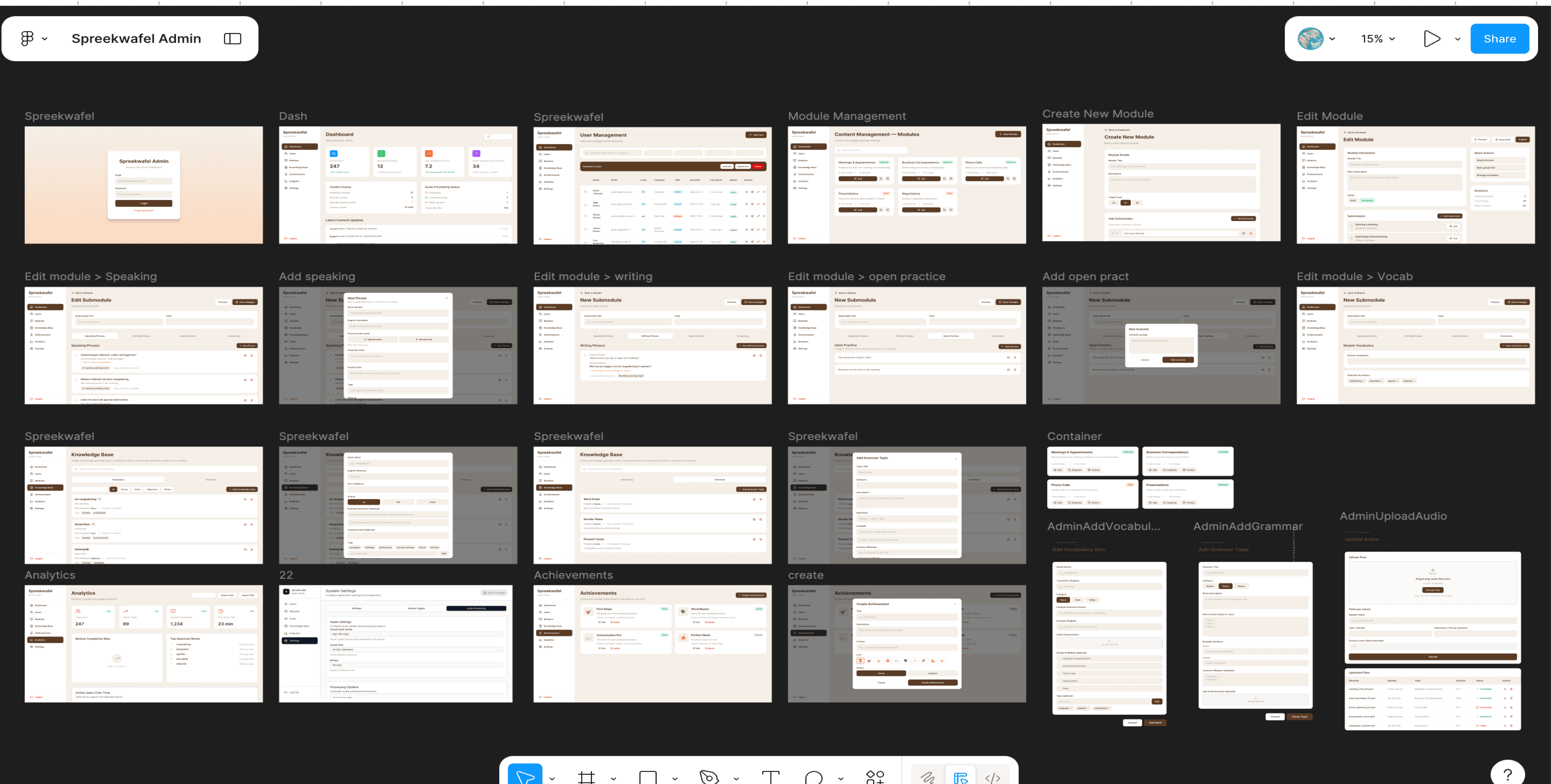
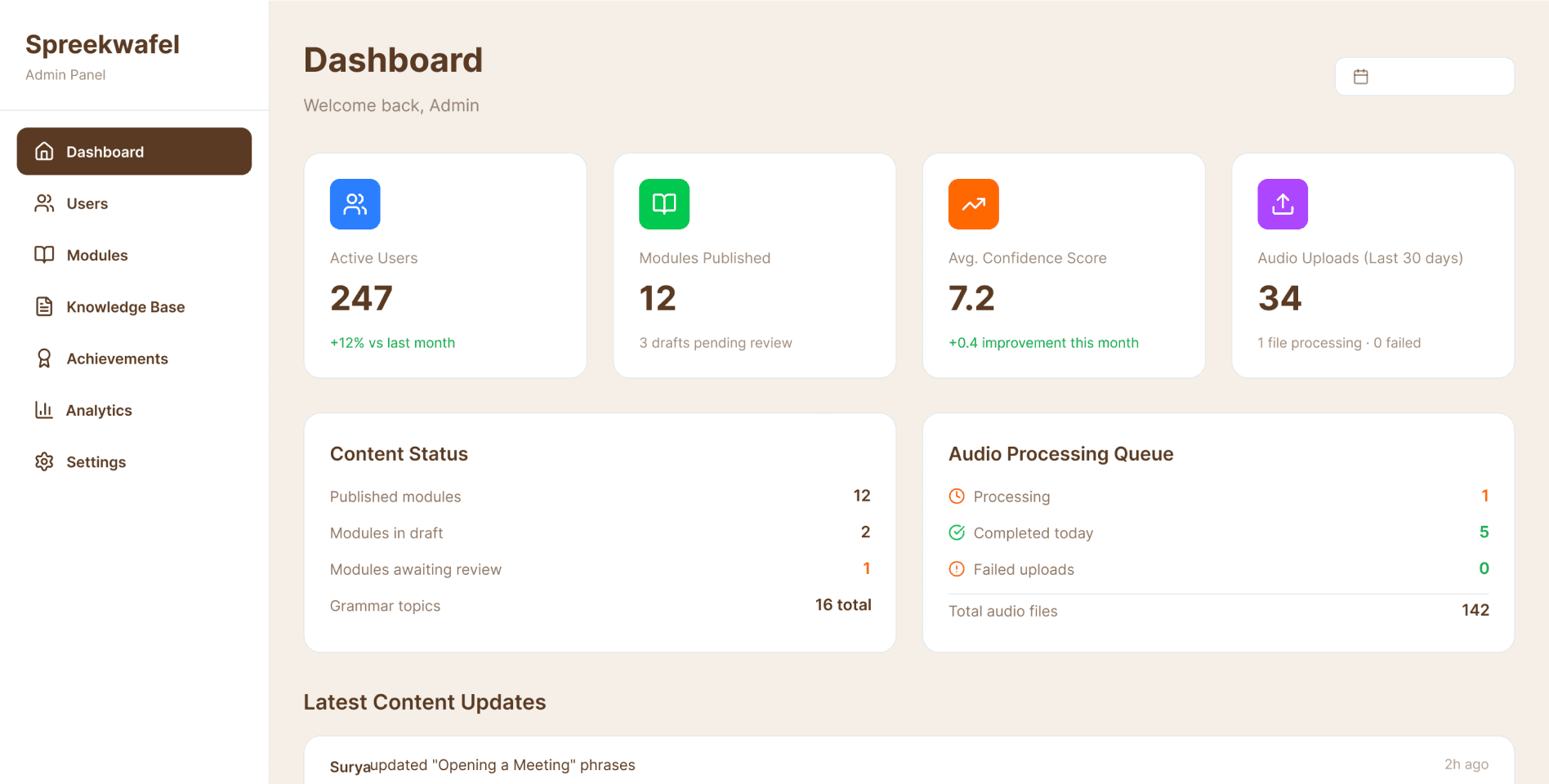
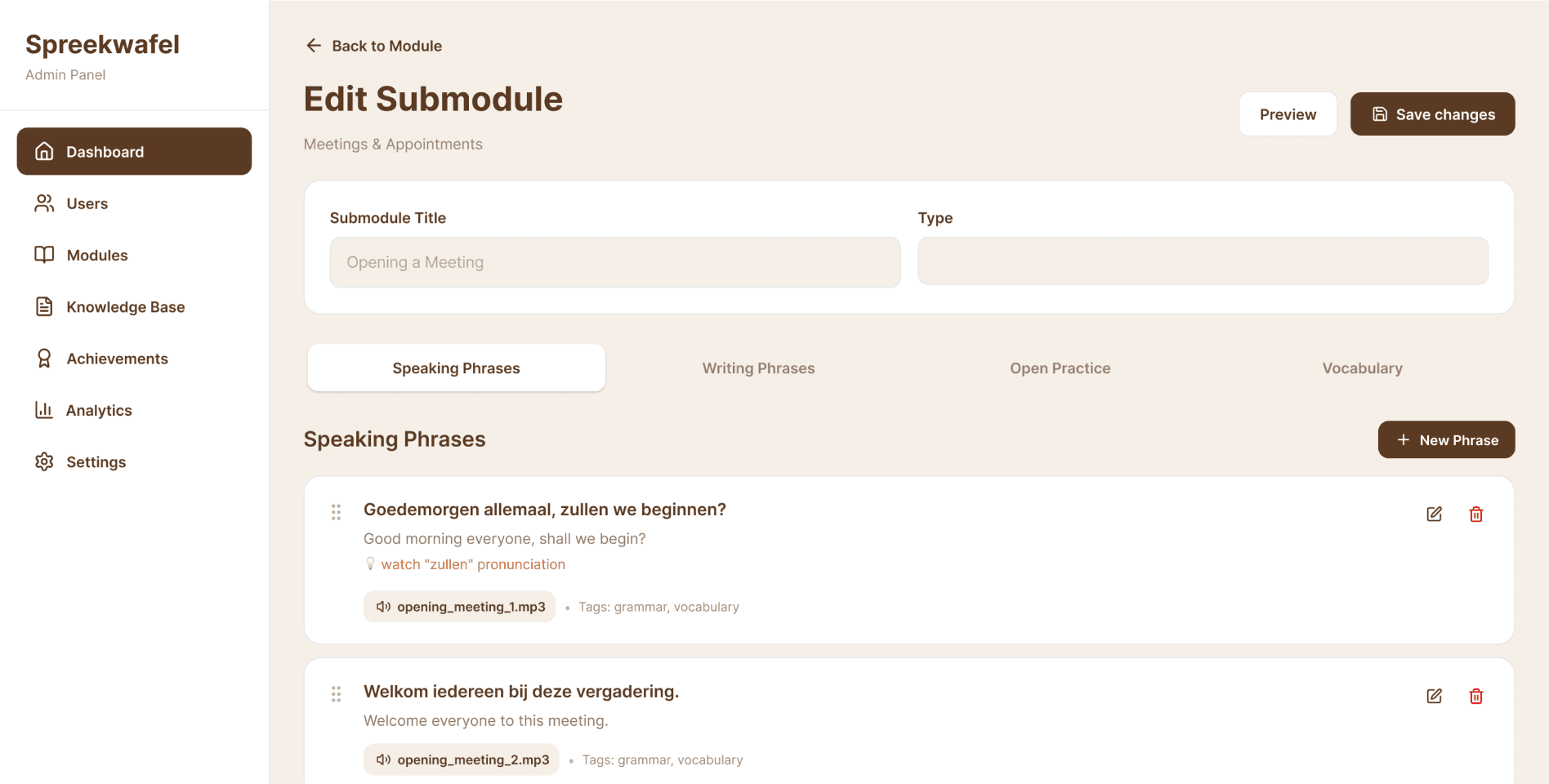
The admin panel was designed after the learning model was finalized.
Admins can:
—
Create modules and submodules
—
Add speaking phrases, scenarios, and writing exercises
—
Attach vocabulary and grammar references
—
Preview learner experience before publishing
No separate "audio management" workflow — audio is part of content creation.
Edge Cases & Complexity
Key complexities handled:
—
Skipping open practice and returning later
—
Saving AI-generated phrases
—
Avoiding over-correction in AI feedback
—
Keeping admin flexible without breaking learning logic
These constraints shaped both UX and system design.
Collaboration & Handoff
—
Worked closely with client stakeholders through iterative reviews
—
Incorporated detailed feedback on learning tone and realism
—
Prepared designs for developer handoff with clear schema thinking
—
Admin panel design was intentionally aligned to developer mental models.
Outcomes & Impact
—
Clear, coherent end-to-end learning flow
—
—
Product ready for engineering validation and content scaling
Learnings & Reflection
This project reinforced that:
—
Learning design is about psychology, not just UI
—
AI feedback must be supportive, not authoritative
—
Good admin tools are invisible to learners — but critical to success
Key features & User Flows
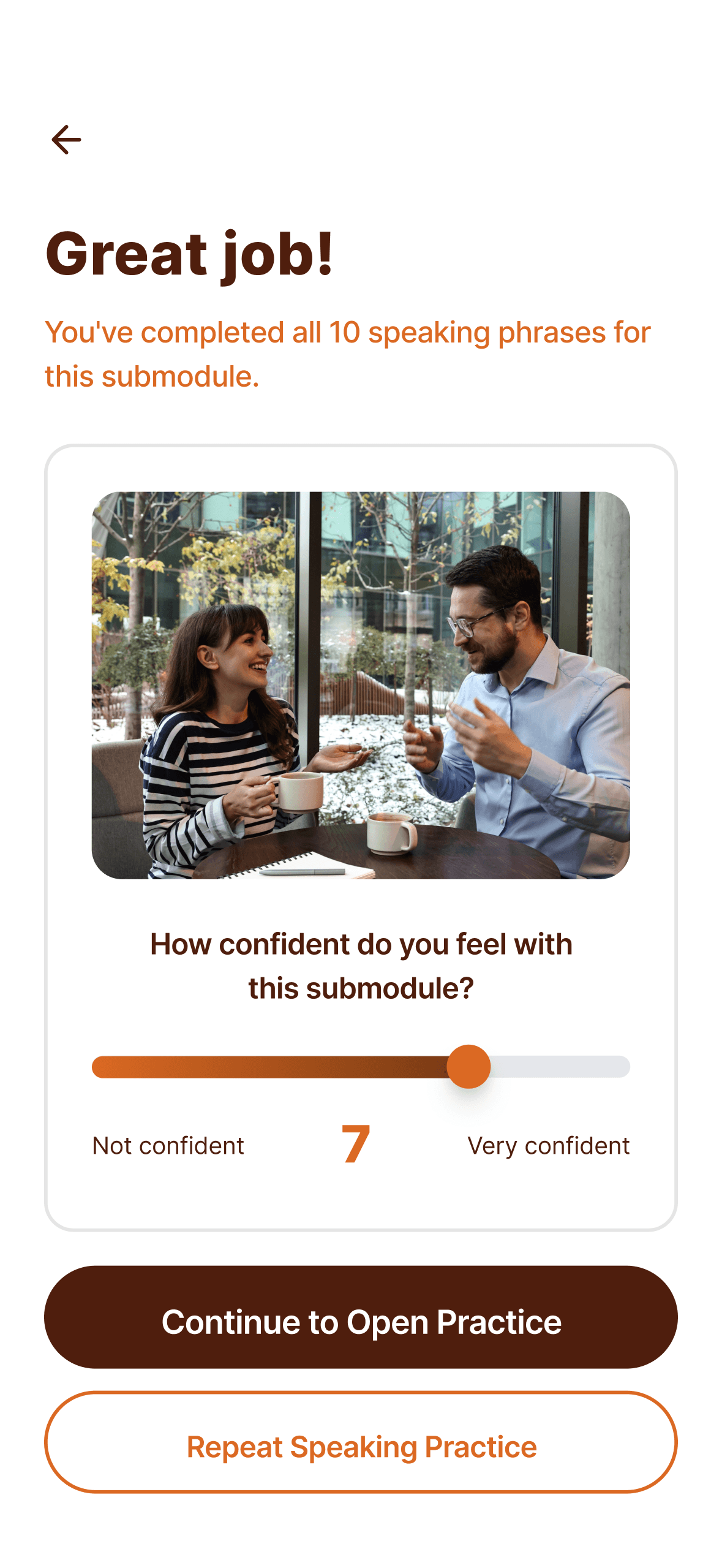
Learning flow
Speaking → Open → Writing
—
Speaking builds comfort
—
Open practice builds adaptability
—
Writing reinforces structure
Users can return to Open or Writing practice later from the module overview.
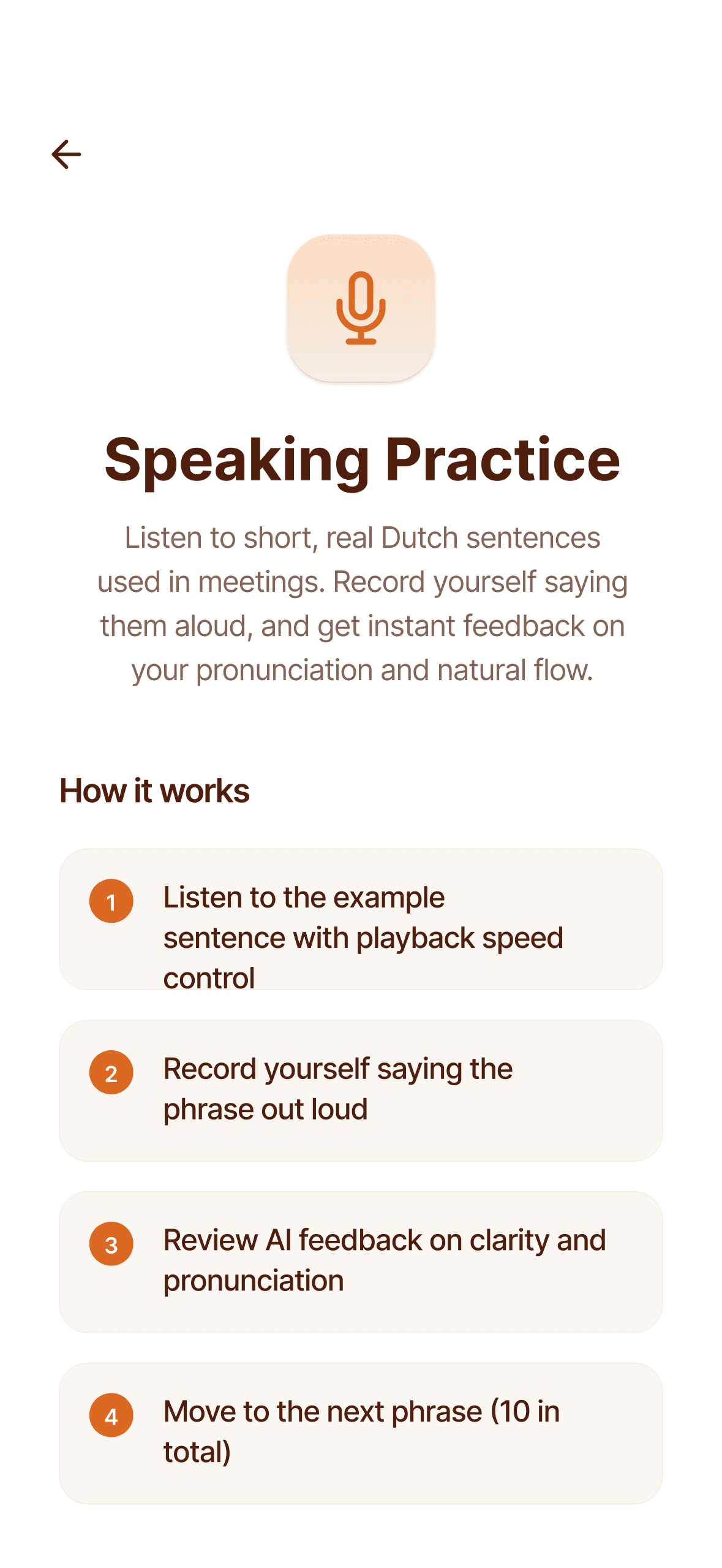
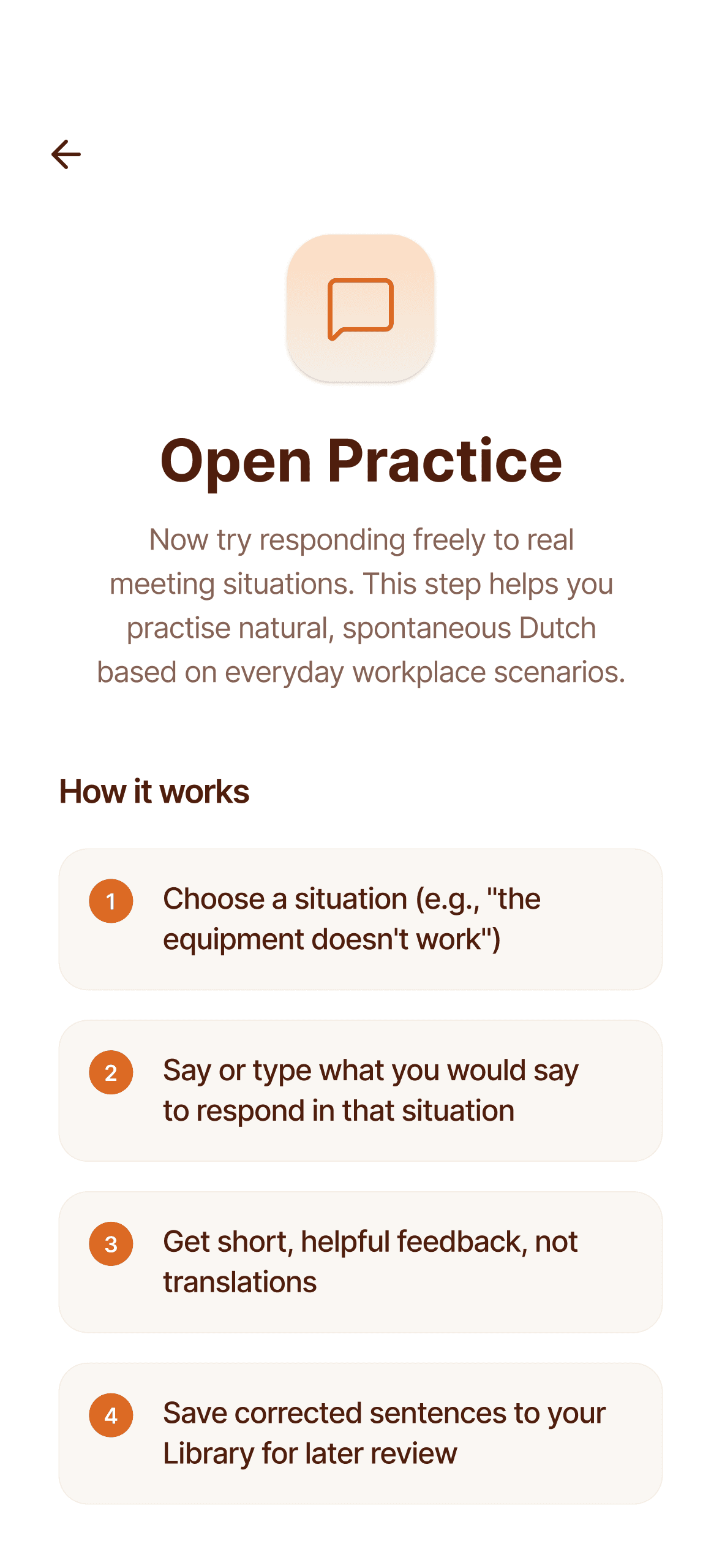
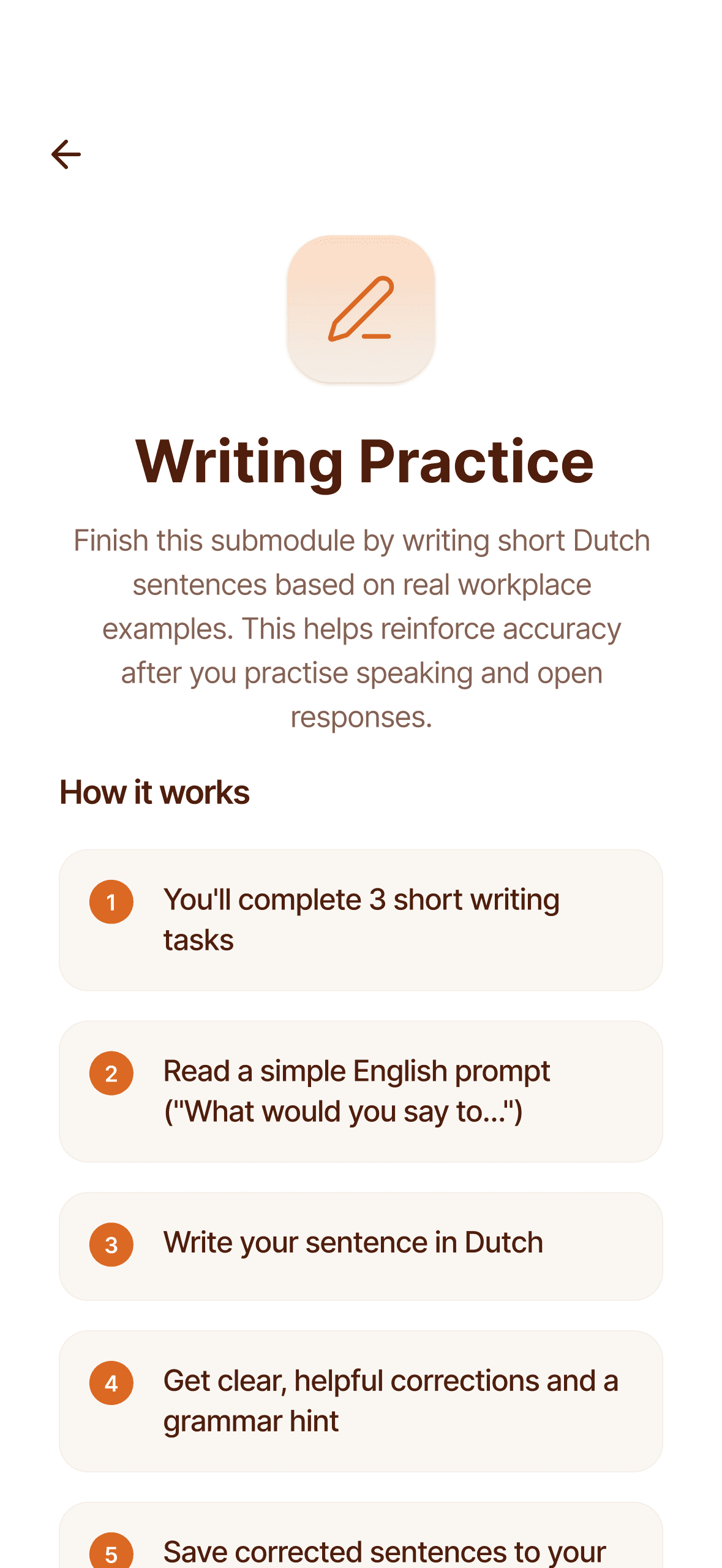
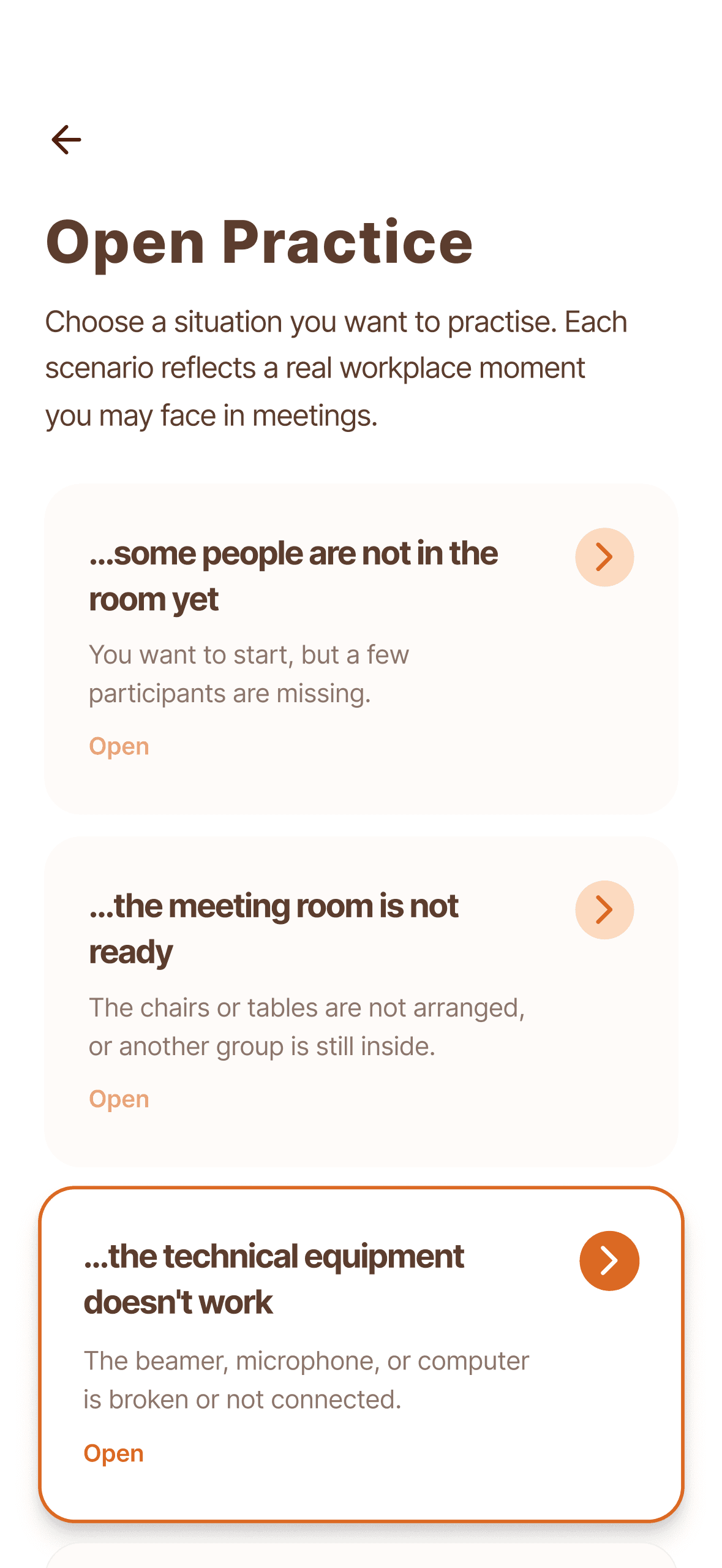
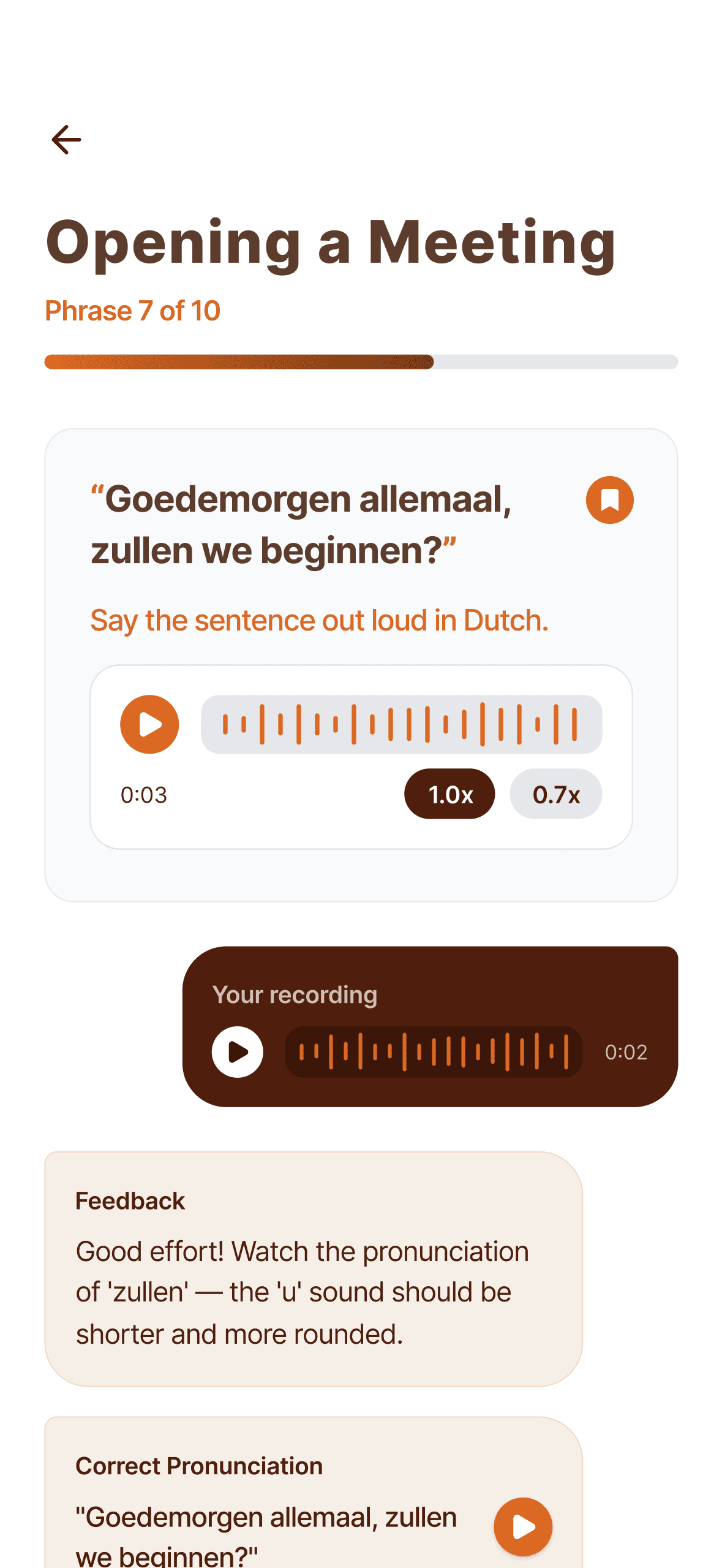
Speaking Practice
—
Audio-first
—
"Hold to Record" as primary CTA
—
Feedback shown after recording
—
Option to save useful phrases to Library
Users & Roles
Primary users
—
Non-native Dutch speakers
—
Professionals working in Dutch environments
—
Levels A2–B1 (functional but not fluent)
Secondary users
—
Admins/content creators
—
Responsible for modules, scenarios, phrases, and grammar content
The admin experience was designed as a content engine, not a generic CMS.
Spreekwafel - Designing Confidence-First Professional Dutch Learning
TL;DR (Executive Summary)
Spreekwafel is a confidence-first language learning product for professionals who need to speak Dutch naturally in real workplace situations. Unlike traditional language apps that focus on vocabulary drills and translation accuracy, Spreekwafel is designed around progressive speaking practice, realistic scenarios, and structured repetition that mirrors how people actually communicate at work.
I led the end-to-end product design of both the learner mobile app and the admin content system, shaping learning flows, information architecture, practice mechanics, and content tooling — from early concept to developer-ready designs.